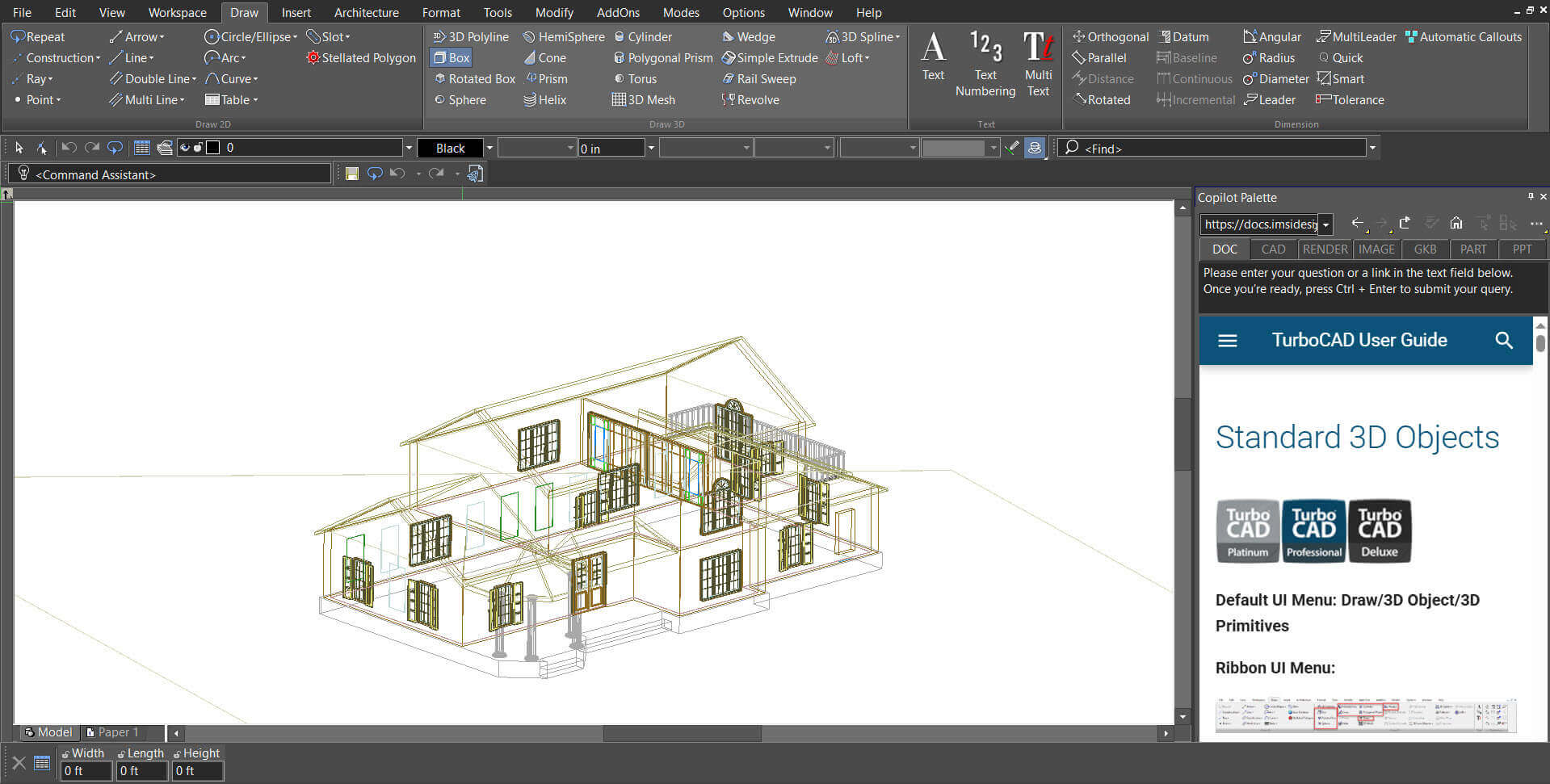
The Smart Help Trigger in the Copilot Palette provides contextual documentation automatically based on the command or tool currently in use. When a supported tool or command is activated, the palette displays the relevant Help page directly inside the workspace. This allows to access instructions and guidance without opening external help files or leaving the drawing environment.
Note: An active Copilot Help license or Copilot Professional license is required to use this feature.
How to Enable or Disable Smart Help Trigger
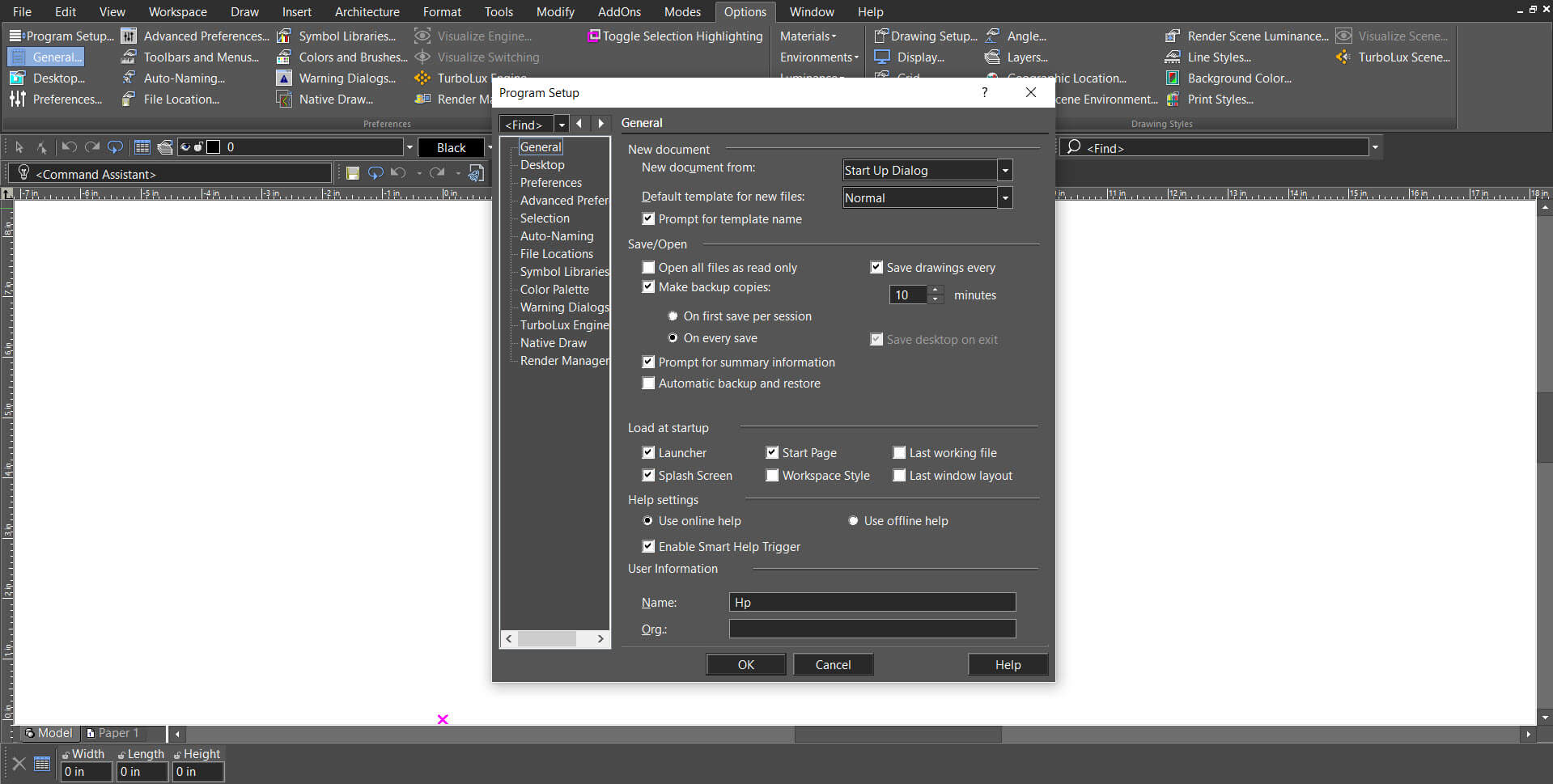
- Open Options → Program Setup.
- Select the General tab.
- Under Help Settings, locate Smart Help Trigger.
- Check or uncheck the option to enable or disable it.
How It Works
- The Copilot Palette must be open.
- When a tool such as the Box tool is selected from the Draw menu, the corresponding documentation page is automatically loaded inside the palette.
- The help content updates dynamically as different tools are activated, ensuring guidance is always relevant to the current action.