



Copilot Help Term License (1 Year)

Product Info
TurboCAD® Copilot Help is an AI-powered support system designed to provide users with accurate and contextually relevant answers by leveraging Retrieval-Augmented Generation (RAG). This intelligent approach searches TurboCAD®'s extensive documentation to find the most relevant content and supplements responses with trusted sources, ensuring users receive precise guidance. Whether troubleshooting a feature, exploring design techniques, or seeking workflow improvements, Copilot Help pulls information from resources such as the User Guide, FAQ, YouTube videos, New Features documents, Press Releases, Blogs, and selected User Forum categories to assist users effectively. By integrating AI-driven support with authoritative references, TurboCAD® Copilot Help simplifies navigation, making it easier to access essential information without extensive manual searches.
 RAG-Powered Assistance (Retrieval-Augmented Generation)
Unmatched AI Support
Extensive Documentation Access
User Guide Integration
FAQ & YouTube Video Support
Contextual Help from Official Resources


 Image Gallery
 Testimonials
 User Forums
 Download TurboCAD® Copilot FAQ
Key Features
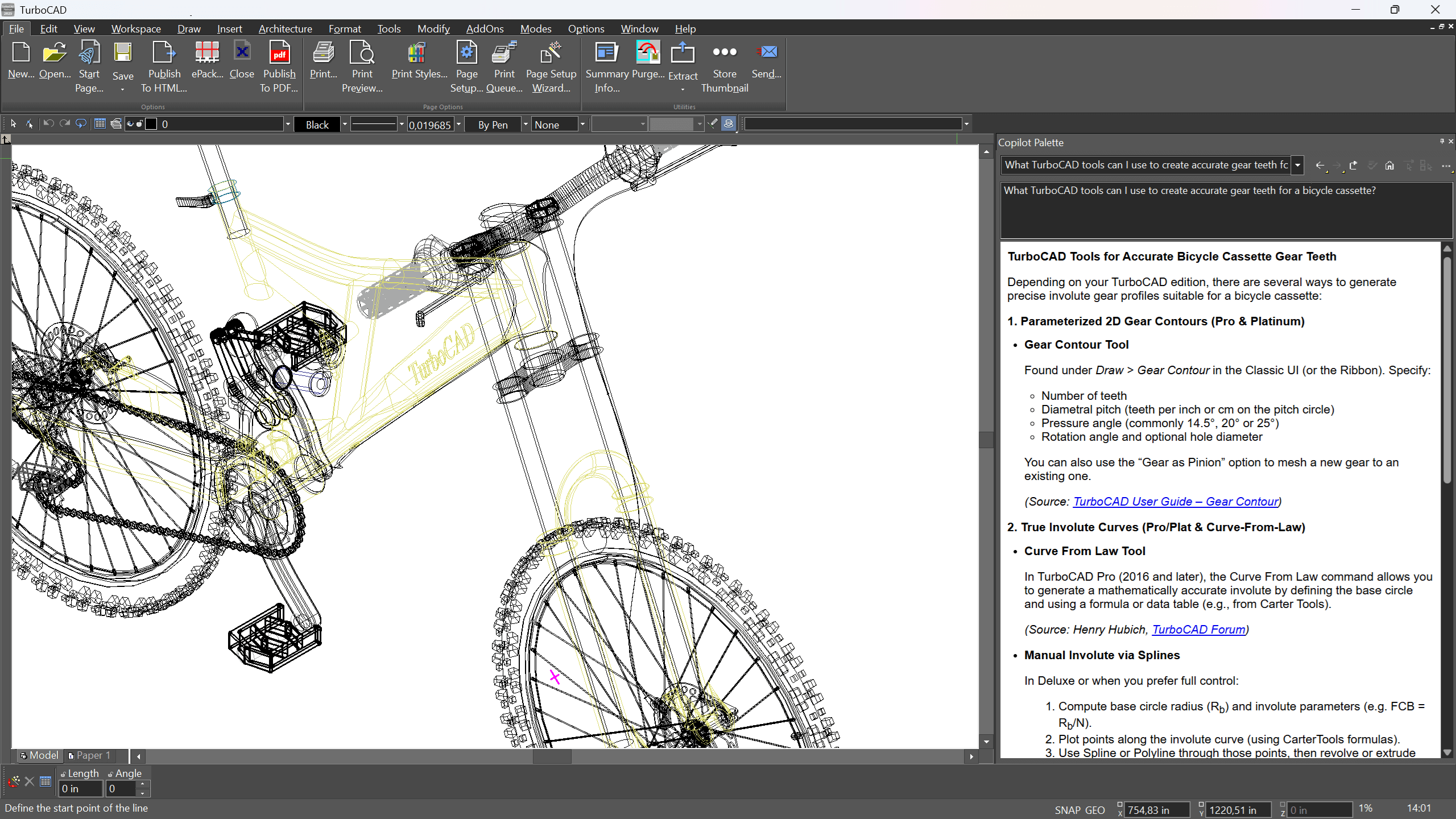
RAG-Powered Assistance (Retrieval-Augmented Generation)
TurboCAD® Copilot Help utilizes RAG technology to enhance the accuracy and relevance of responses. By analyzing queries and supplementing answers with information from official documentation, it ensures users receive the most pertinent guidance available.
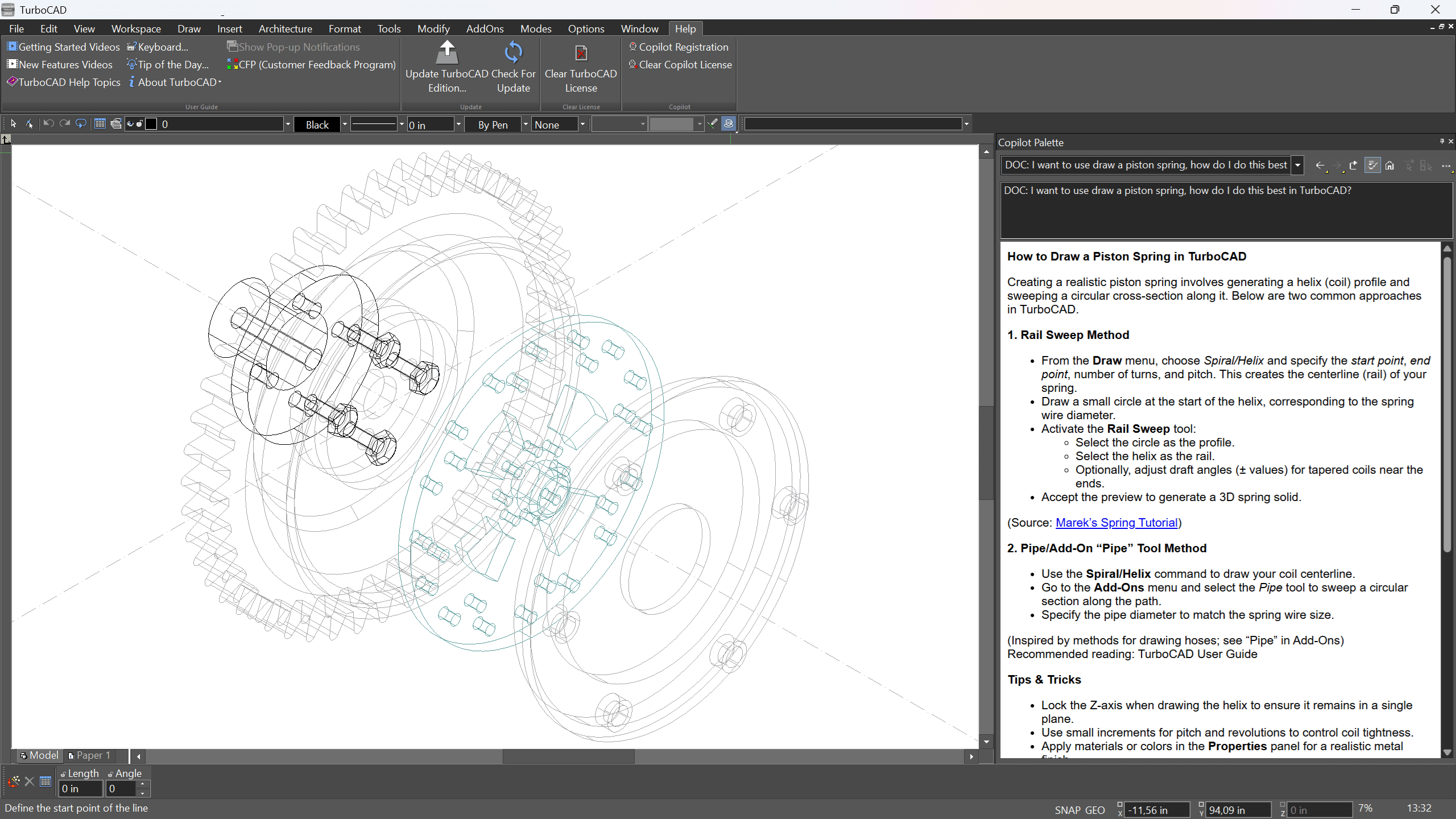
Intelligent AI Support
TurboCAD® Copilot Help delivers a powerful AI-driven support system, combining advanced intelligence with an extensive database of trusted resources. By searching and integrating relevant content from official documentation, it ensures that users receive precise, contextually accurate responses to their questions. Whether troubleshooting design challenges, learning new features, or exploring best practices, this intelligent assistance empowers users with timely and reliable information tailored to their specific needs, helping them navigate TurboCAD® with confidence.
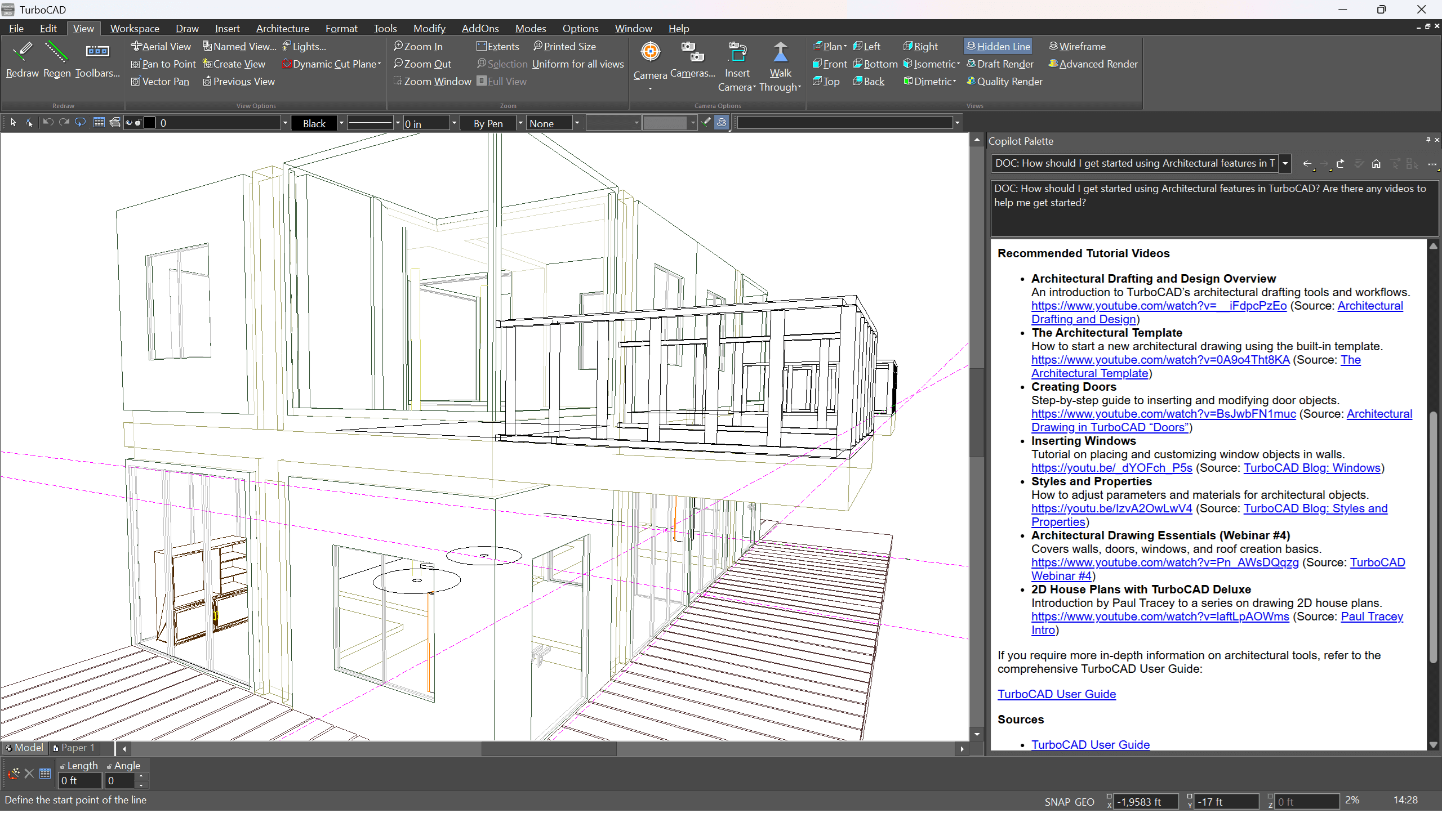
Extensive Documentation Access
TurboCAD® Copilot Help provides seamless access to a vast collection of reliable sources, ensuring users can find accurate information quickly. Whether you're looking for step-by-step instructions, troubleshooting guidance, or insights into new features, Copilot Help searches through resources such as theUser Guide, FAQs, YouTube Channel videos, New Features documentation, press releases, blogs, and selected forum discussions. By integrating AI-powered assistance with well-documented references, it allows users to efficiently explore solutions and enhance their understanding of TurboCAD®.
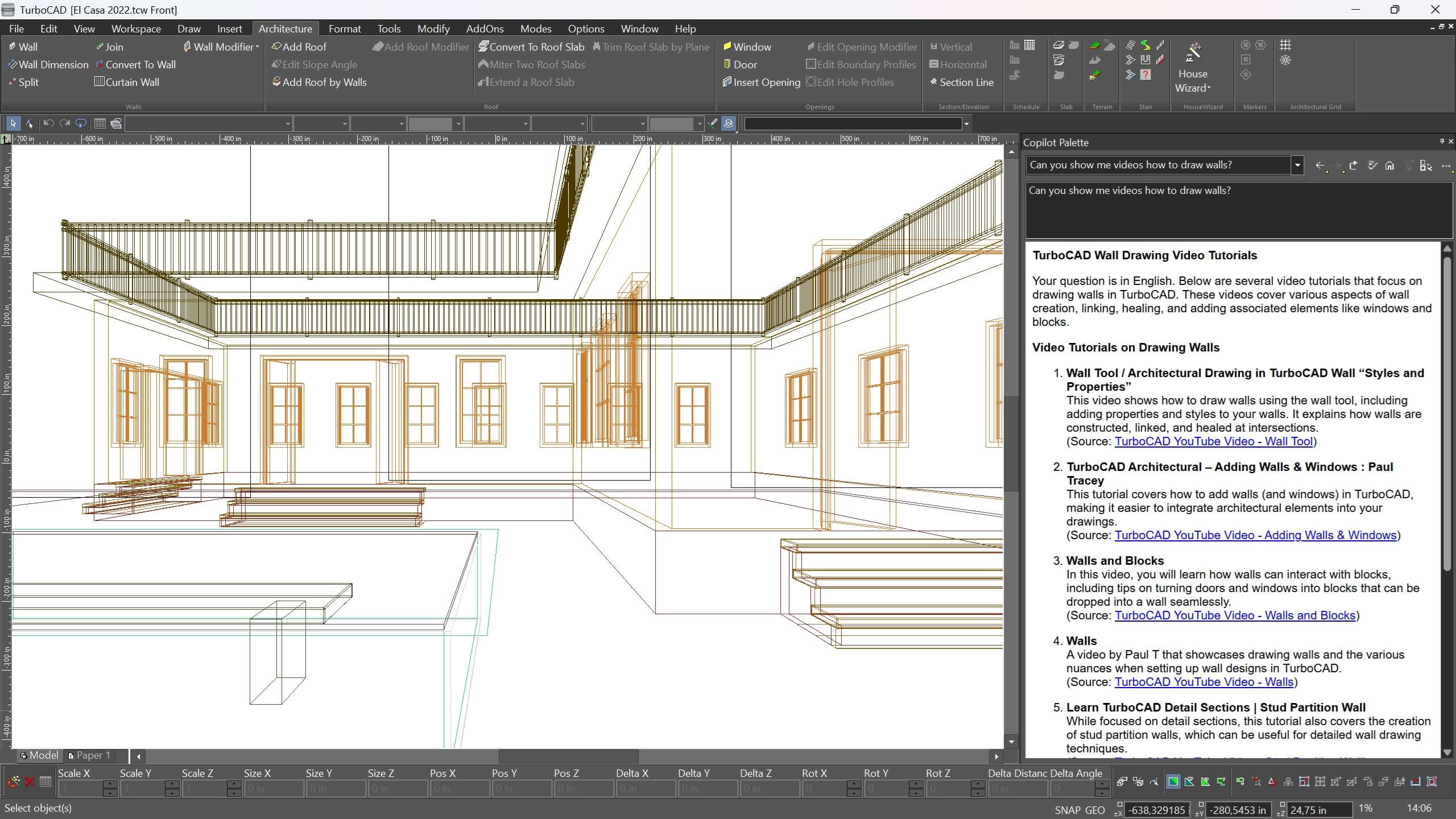
Comprehensive and Contextual Help
New Features
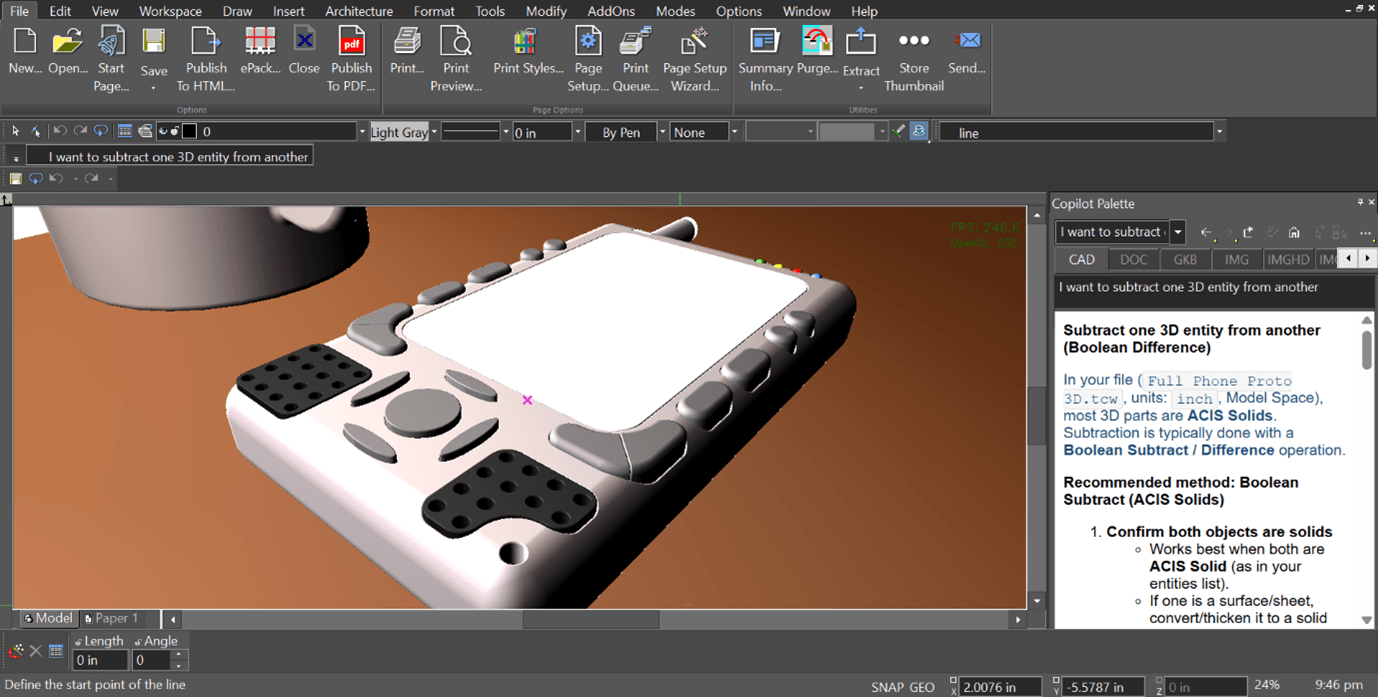
Copilot Command Assistant
*Only available in TurboCAD Windows
The Command Assistant interprets natural‑language requests and turns them into immediate, context‑aware guidance inside the Copilot Palette. As designers describe what they want to do, it identifies the intent and provides the right help without breaking the modeling flow—making complex actions easier to understand and keeping focus on the work on screen
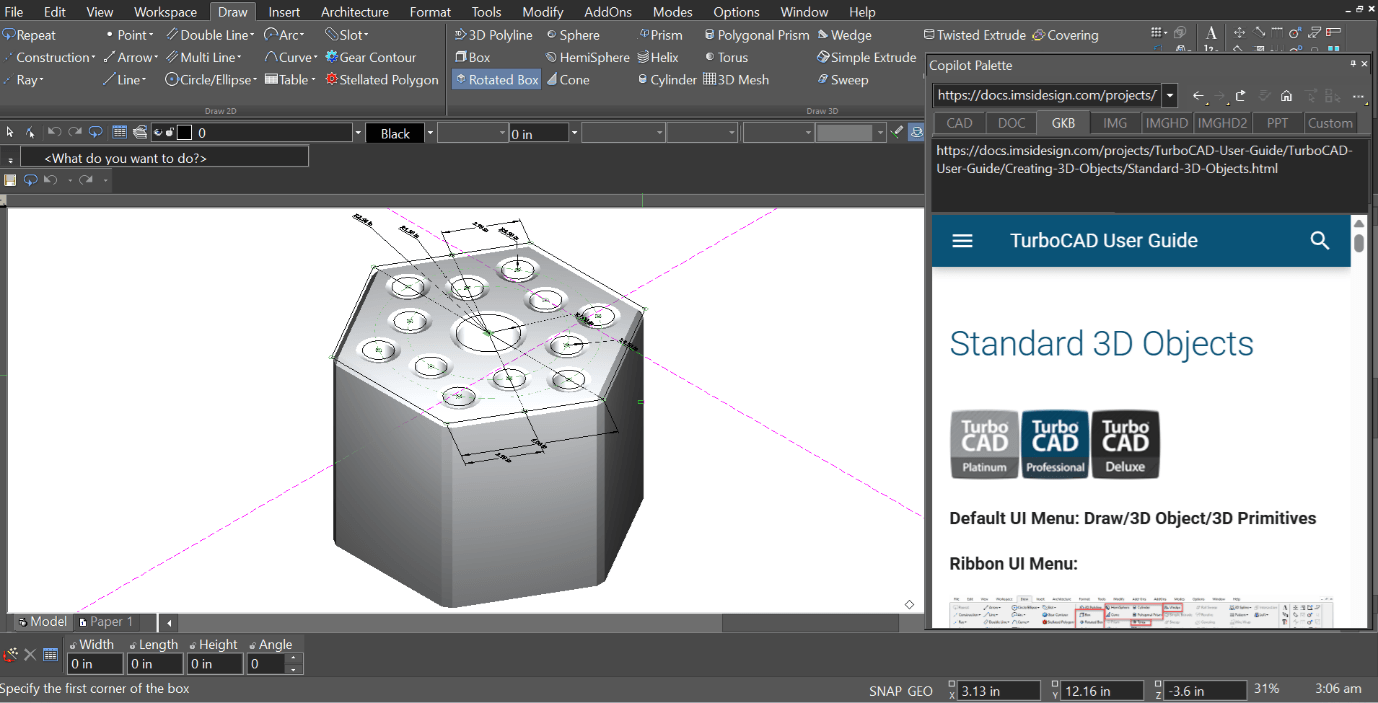
Copilot Smart Help Trigger
*Only available in TurboCAD Windows
The Smart Help Trigger brings contextual guidance directly into the Copilot Palette, giving designers the right assistance without leaving the drawing environment. As tools are activated, relevant help appears automatically inside the palette—keeping the workflow uninterrupted and making it easier to explore features while staying focused on the design
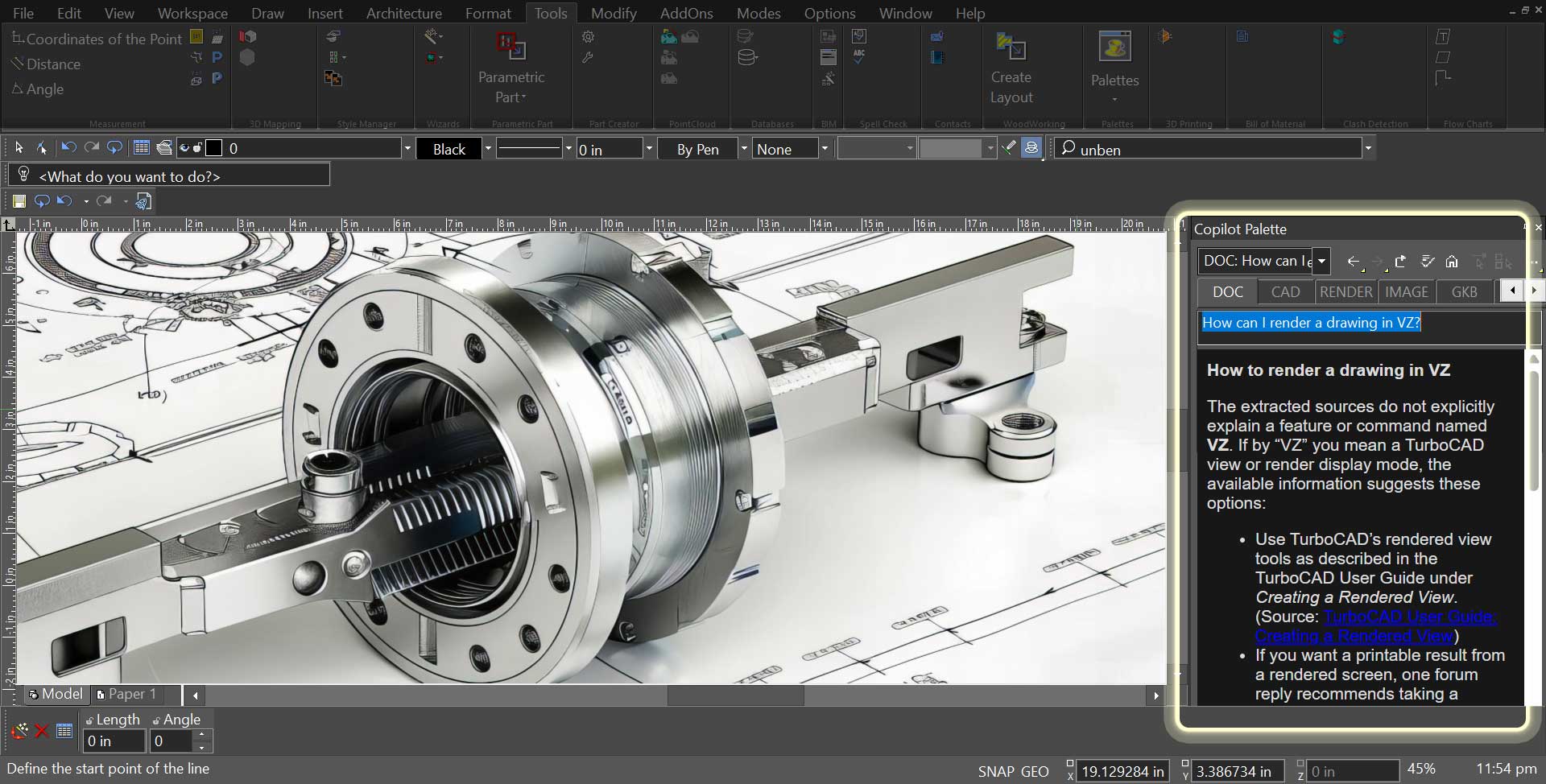
Copilot Toggle Tabs
Copilot requests are organized into simple toggle tabs, making it easy to choose the type of assistance before entering a prompt. Instead of typing prefixes, users select categories like DOC, CAD, RENDER, IMAGE, GKB, PART, or PPT. This visual approach makes the workflow clearer and helps Copilot deliver more relevant responses.
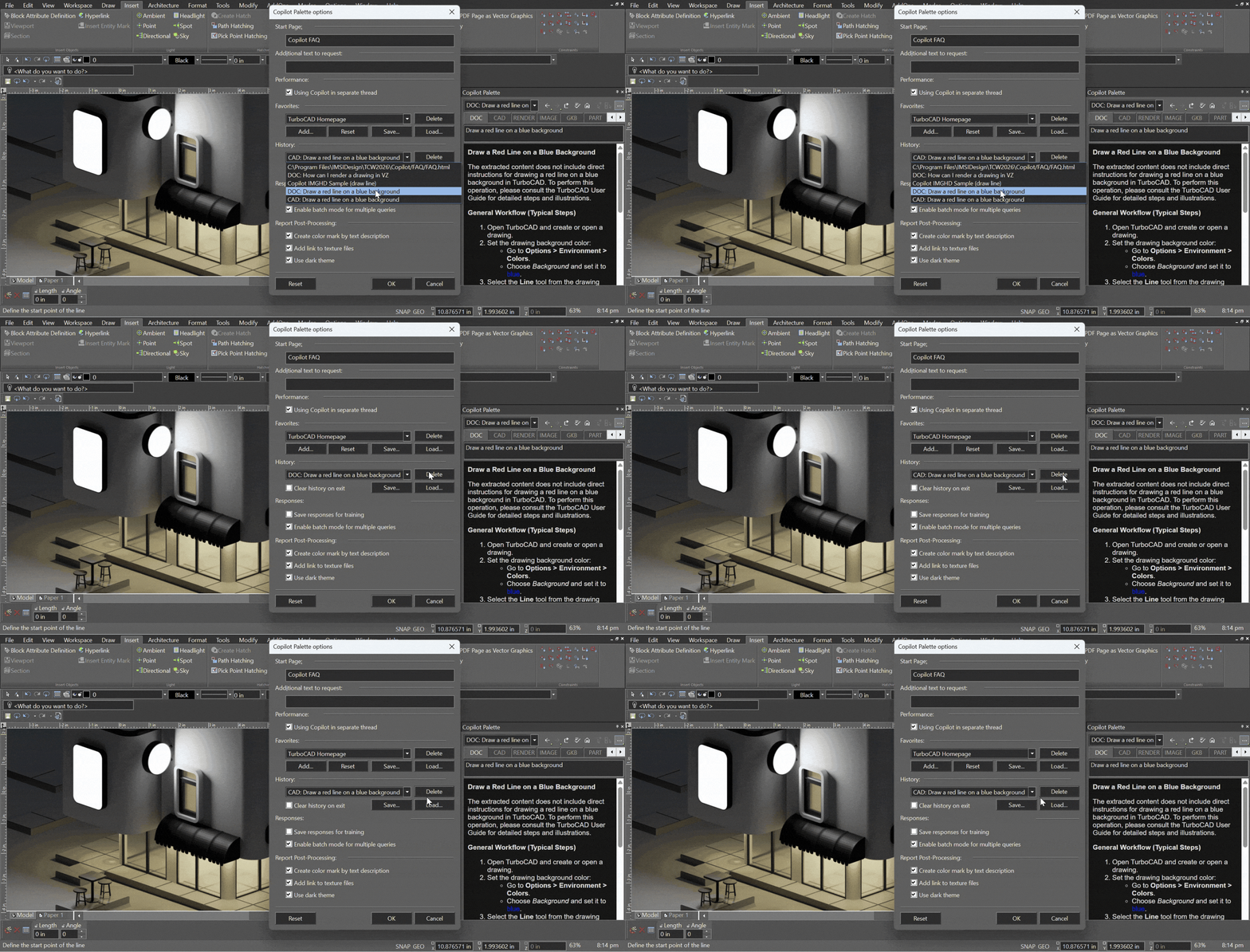
Copilot Palette History Management
*Only available in TurboCAD Windows
The Copilot Palette offers a simple way to view and manage previously opened links.
History items appear in a dropdown list, allowing users to return to earlier content quickly and without searching. When an entry is no longer needed, it can be removed using the Delete button, keeping the list focused and easy to work with.
The history can store up to 50 links, giving users more room when working across multiple Copilot queries and resources.
TurboCAD User Reviews
"TurboCAD performs flawlessly for our needs. It is an indispensable tool for our company."
Al D.
"I have used TurboCAD for quite a few years and it has served me well. New and improved features have kept it up to date while methods of use have remained consistent making an upgrade easy to adjust to."
David M.
"TurboCAD is excellent and affordable. I first used it 20 years ago, and even that version did all I needed."
Kurt Z.
"I have 34 years of CAD experience using the more expensive CAD programs and I use TurboCAD for my business. TurboCAD offers 'new thinking' in CAD, which delivers a productive CAD platform at a reasonable price."
Paul S.
"I've used TurboCAD for countless projects over the years. Some for profit, some not for profit and some for fun. Whether the need has been construction drawings, marketing materials, design work or just creative outlet, TurboCAD has always come through for me."
Brad E.
"I rely on TurboCAD for all my company's drawings; as a result my own productivity is greater than the entire drafting department of my last company."
Roland A.










System Requirements
Windows
To run this add on, you must have TurboCAD® Windows 2026 Platinum, Professional, Deluxe or Designer installed. The system requirements of TurboCAD® Windows apply.
Mac
To run this add on, you must have TurboCAD® Mac 17 Platinum, Professional, Deluxe or Designer installed. The system requirements of TurboCAD® Mac apply.
Buy Your TurboCAD Product Now
Find the TurboCAD version that best fits your needs
TurboCAD Platinum
$1,49999
- 2D Drawing, Editing & Modifying
- AutoCAD® File Compatibility
- 3D Modeling & Editing
- Photorealistic Rendering
- 3D Printing Support
- Architectural Tools
- Simple BIM via IFC Support
- 2D Drafting Interface Options
- Internal & External Database Connectivity
- Point Cloud & Terrain Data Support
- ACIS® Solid Modeling
- 2D Geo-Dimensional Constraints
- Part Tree/History Tree
TurboCAD Professional
$99999
- 2D Drawing, Editing & Modifying
- AutoCAD® File Compatibility
- 3D Modeling & Editing
- Photorealistic Rendering
- 3D Printing Support
- Architectural Tools
- Simple BIM via IFC Support
- 2D Drafting Interface Options
- Internal & External Database Connectivity
- Point Cloud & Terrain Data Support
- -
- 2D Geo-Dimensional Constraints
- -
TurboCAD Deluxe
$39999
- 2D Drawing, Editing & Modifying
- AutoCAD® File Compatibility
- 3D Modeling & Editing
- Photorealistic Rendering
- 3D Printing Support
- Architectural Tools
- Simple BIM (Limited)
- -
- -
- -
- -
- -
- -
TurboCAD Designer
$14999
- 2D Drawing, Editing & Modifying
- AutoCAD® File Compatibility
- -
- -
- -
- Architectural Tools (Very Limited)
- -
- -
- -
- -
- -
- -
- -