A well-organized kitchen is essential for creating a modern and stylish home. When items are properly arranged and clutter is reduced, the kitchen feels more open, calm, and visually appealing. Modern kitchen organization focuses on simplicity, functionality, and clean design, helping the space look elegant while remaining practical for everyday use.
Minimalism plays a key role in achieving a modern kitchen look. Keeping countertops clear and storing unnecessary items inside cabinets instantly improves the appearance of the space. Smart storage solutions such as drawer dividers, pull-out shelves, and organized cabinets make it easier to access kitchen essentials while maintaining a neat and seamless design.
Using coordinated storage, neutral colors, and proper lighting further enhances the modern feel of the kitchen. Matching containers, labeled jars, and consistent materials create visual harmony, while good lighting highlights clean surfaces and organized areas. With thoughtful planning and organization, any kitchen can be transformed into a clean, modern, and functional space.
For example, we began with a basic kitchen layout that had no essential equipment. There were no oven, sink, refrigerator, or built-in appliances, giving us a blank space to design and organize from scratch.

Now, step by step, we will transform our kitchen into a modern space after installing all the essential kitchen equipment.
First, we will place the base cabinet. To do this, click on the Cabinet icon in the Floor menu.

After clicking the Cabinet icon, the cabinet-related options will appear on the right side. Simply click the Cabinet Type drop-down icon to explore the available options.
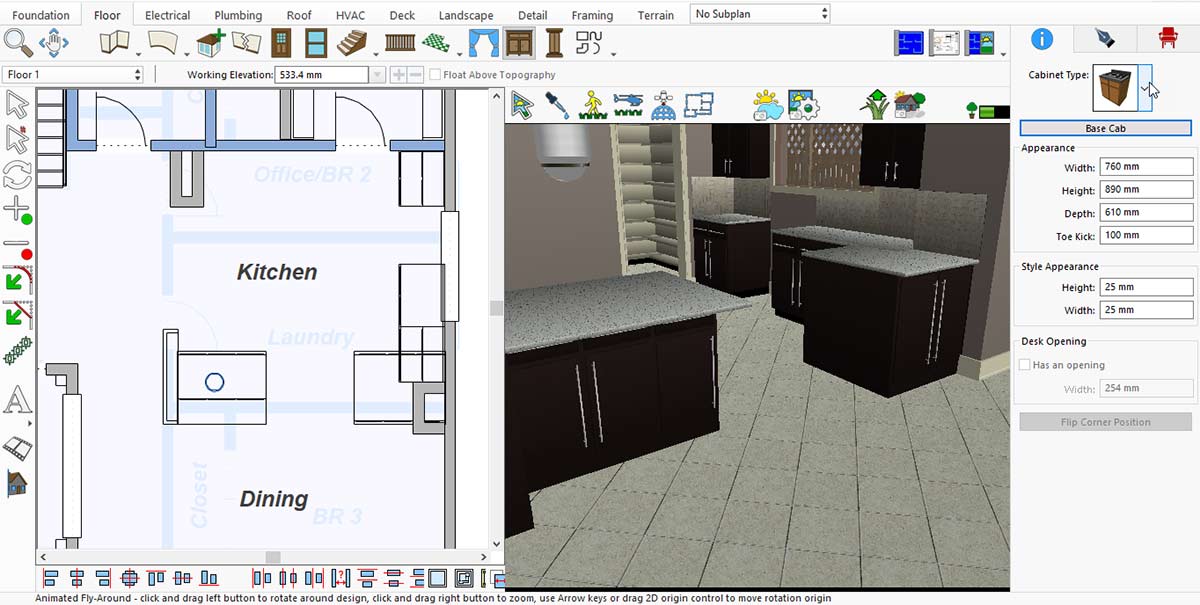
After clicking on the cabinet type, you will see a list of cabinet options—choose the one that best suits your kitchen space and design.
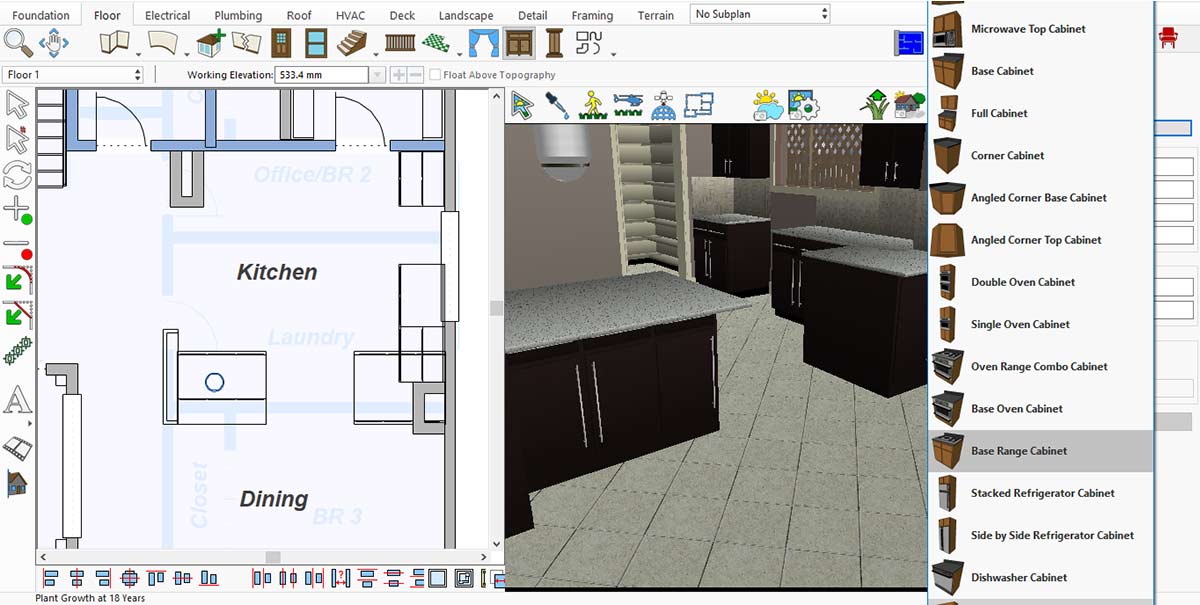
Range Cabinet Collection for the Kitchen
After selecting a cabinet for your kitchen, it will appear in the area where you place it.
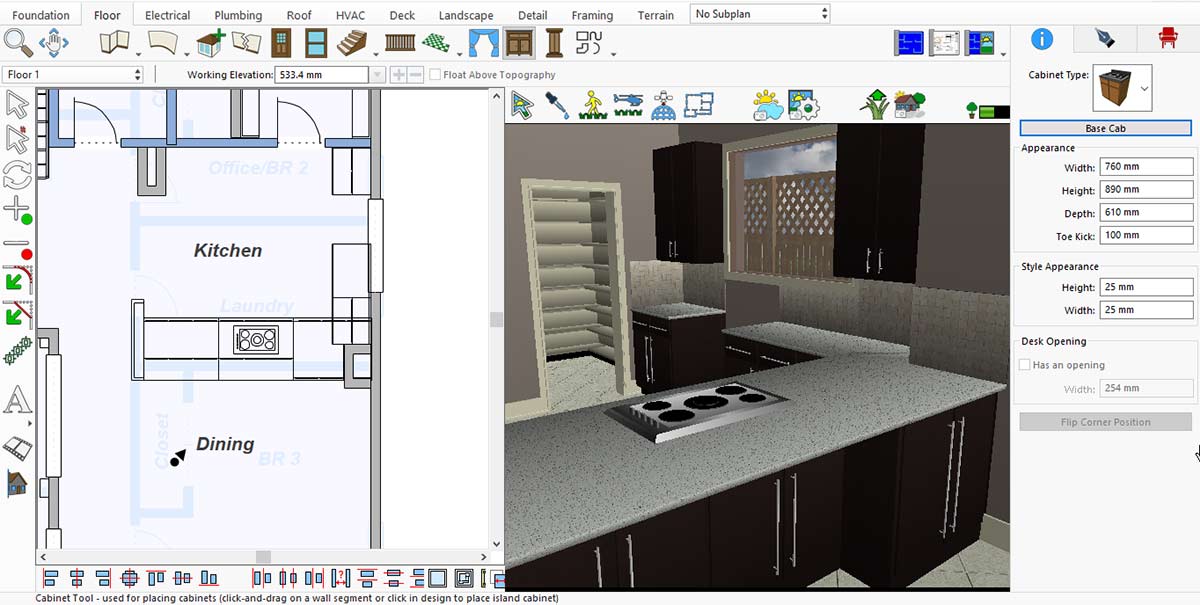
Now it’s time to place the range hood above the cooking range. To do this, go to Display Stock Library Items > Kitchen and Dining > Appliances > Range Hoods.

Range Hoods Collection for the Kitchen
In the same way, we can place an oven in our kitchen. For this, go to Display Stock Library Items > Kitchen and Dining > Appliances > Ranges and Ovens.
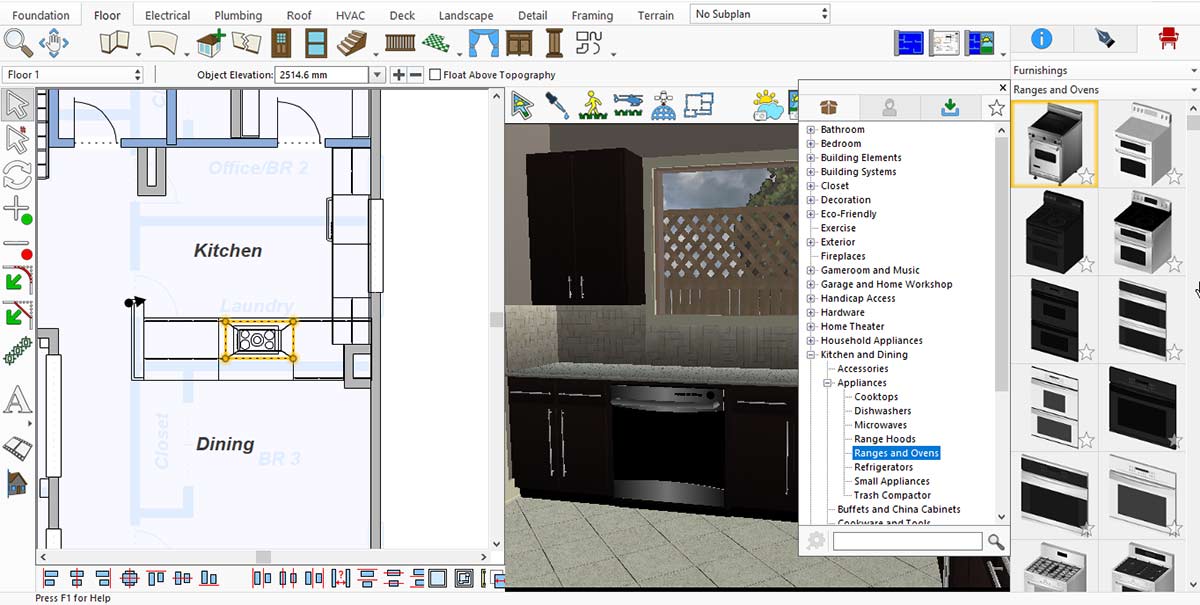
Range and Oven Collection for the Kitchen
A modern kitchen is incomplete without a refrigerator. To place one, go to Display Stock Library Items > Kitchen and Dining > Appliances > Refrigerators.
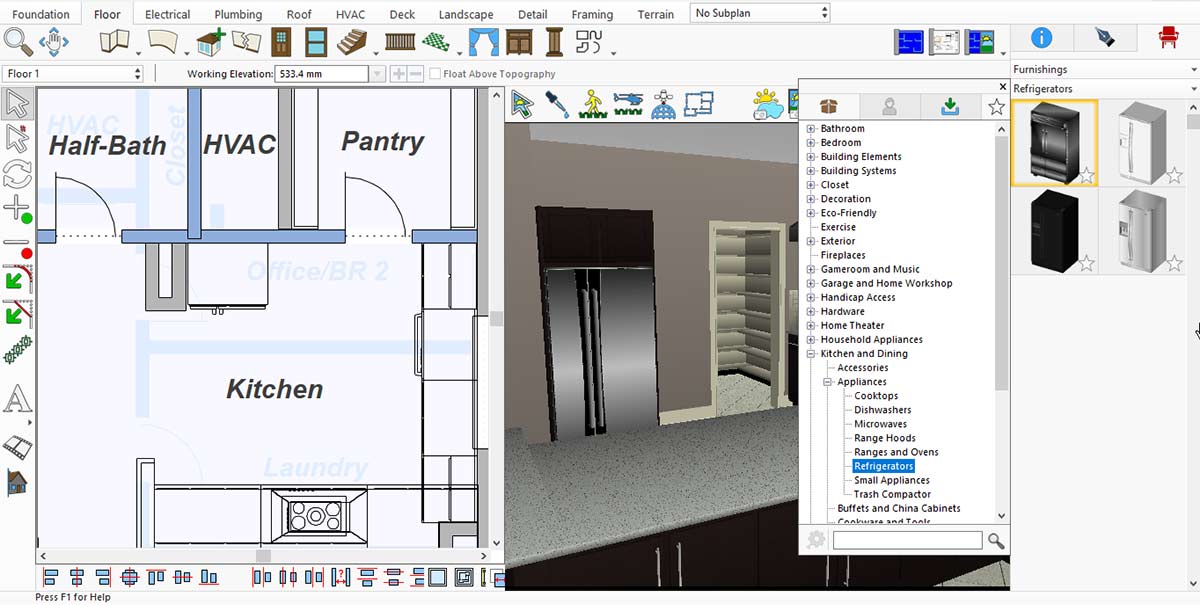
Kitchen Refrigerator Collection for the Kitchen
Now, to place a cabinet oven in your kitchen, first go to the Cabinet option in the Floor menu.

After clicking on the cabinet type, a list of cabinet ovens will appear—choose the one that best fits your kitchen space and design.
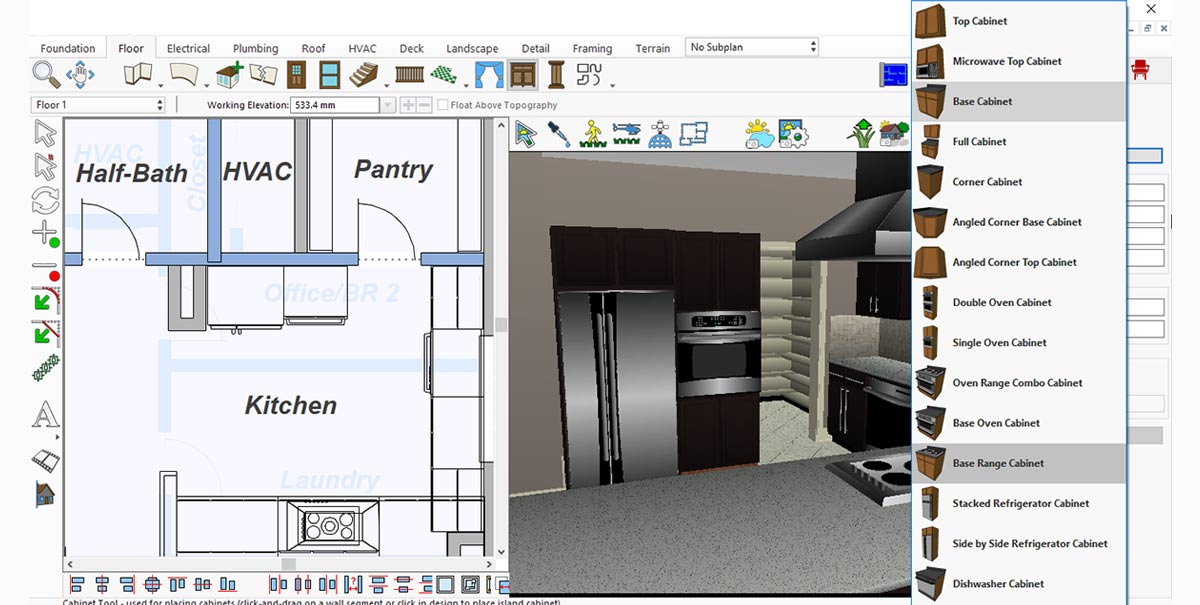
Cabinet Oven Collection for the Kitchen
Lighting is essential in a modern kitchen. To add modern lights, go to Display Stock Library Items > Lighting > Hanging.

Kitchen Hanging Light Collection for the Kitchen
A modern kitchen is incomplete without a stylish sink. To place one, go to Display Stock Library Items > Kitchen and Dining > Sinks.
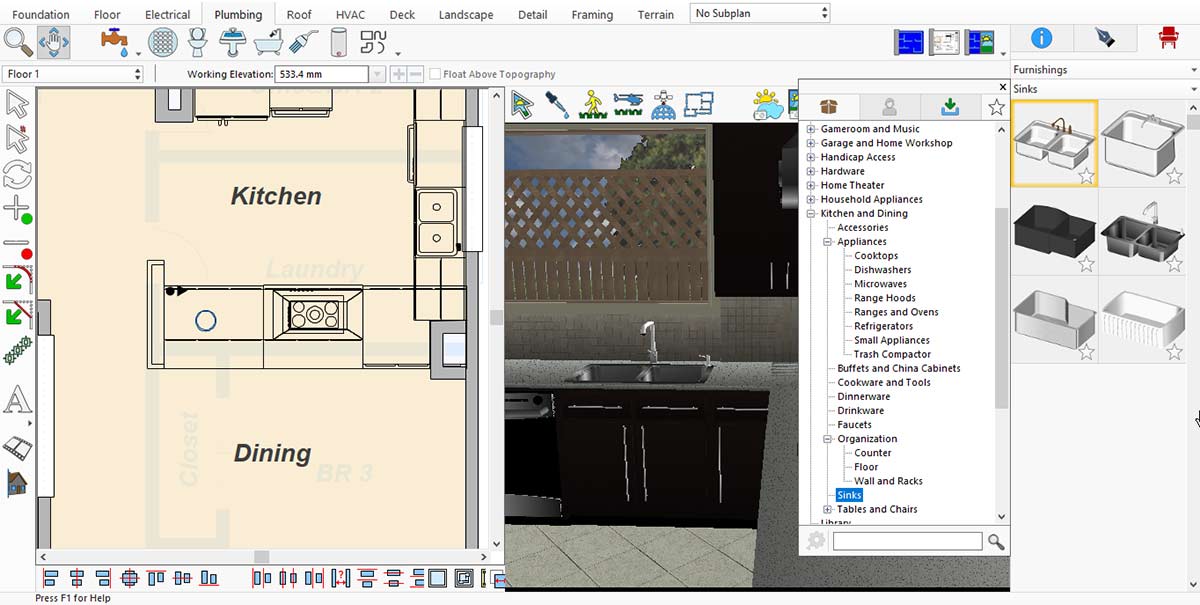
Kitchen Sink Collection for the Kitchen
Furniture is also an important element in a modern kitchen. To add modern pieces like chairs, go to Display Stock Library Items > Kitchen and Dining > Tables and Chairs > Chairs.
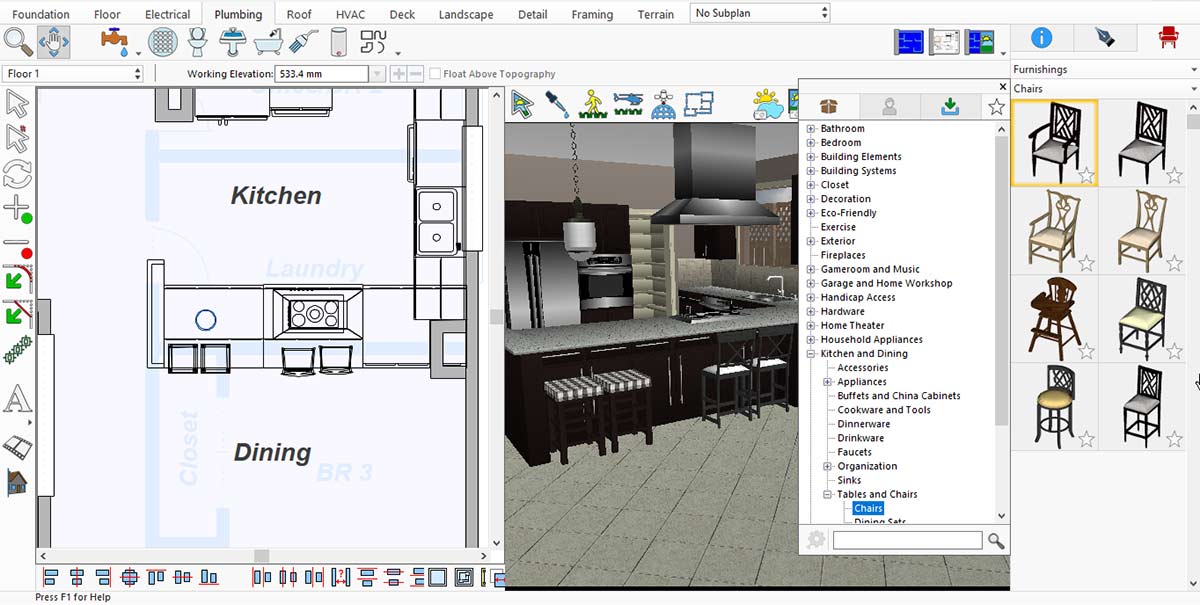
Kitchen Chairs Collection for the Kitchen
Adding a carpet can enhance the appeal of your kitchen. To place one, go to Display Stock Library Items > Decoration > Karastan Rugs.
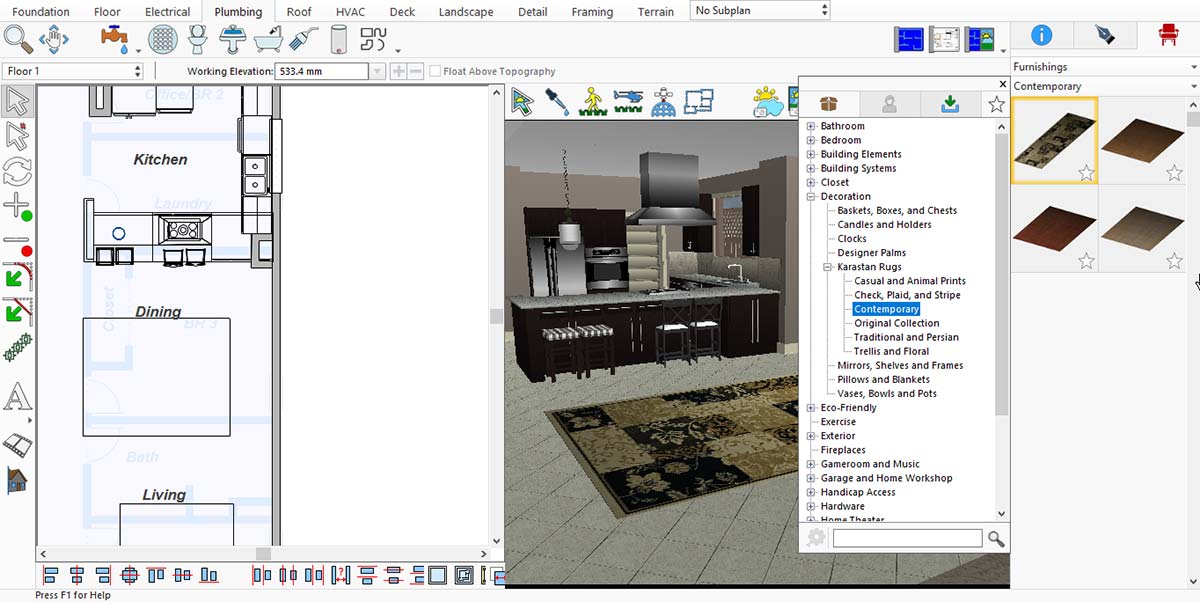
More Designs of Carpets for the Kitchen
Fancy wall lights also play an important role in giving a modern look to your kitchen. To place them, go to Display Stock Library Items > Lighting > Sconce and Wall.
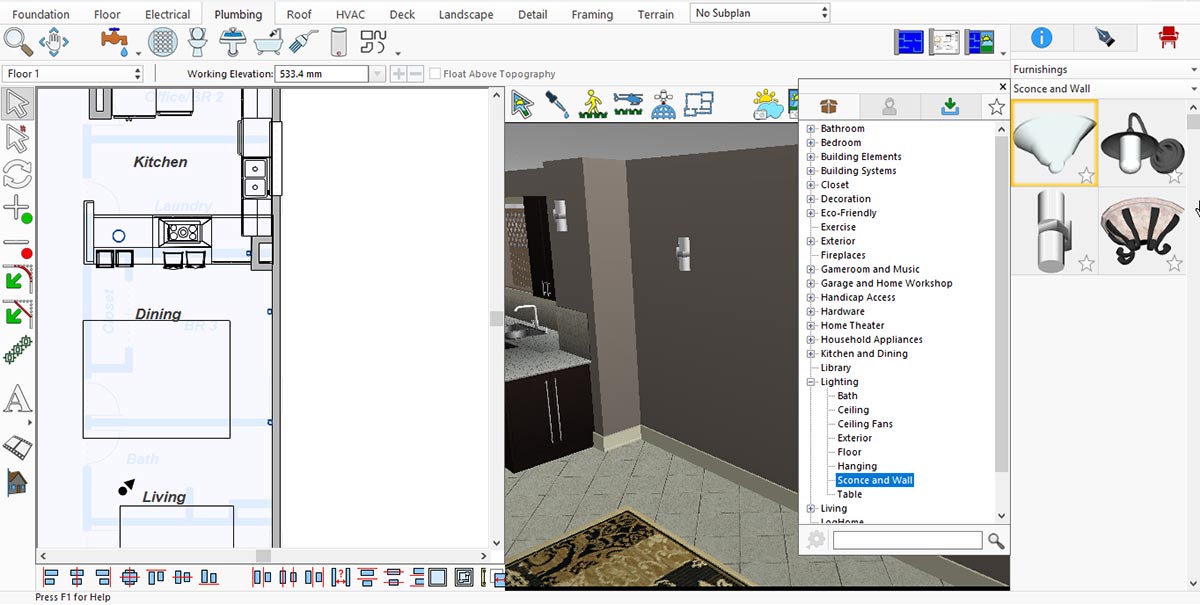
Wall Light Collection for the Kitchen
Similarly, framed images on the walls contribute to a modern kitchen look. To place them, go to Display Stock Library Items > Decoration > Mirrors, Shelves, and Frames.
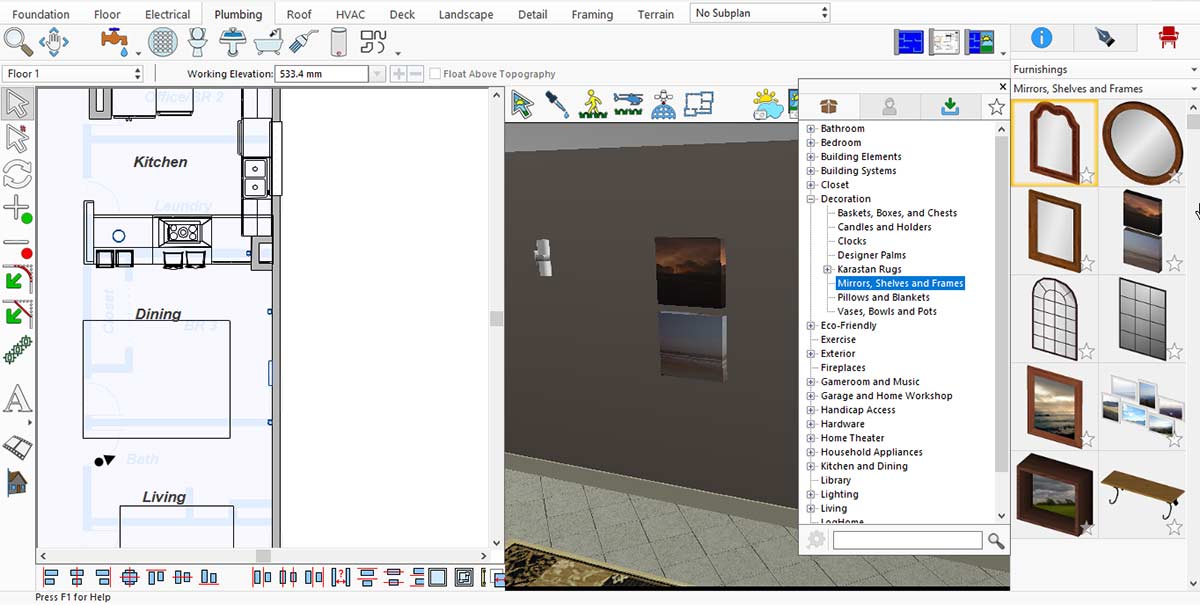
Framed Image collection for the Kitchen
A kitchen feels incomplete without a flower pot. This app offers a wide range of flowers with pots, but if none meet your needs, you can place an empty pot and add flowers later. To place a pot in your kitchen, go to Plants > Display Stock Library Items > Container and Potted Plants > Pots and Containers.
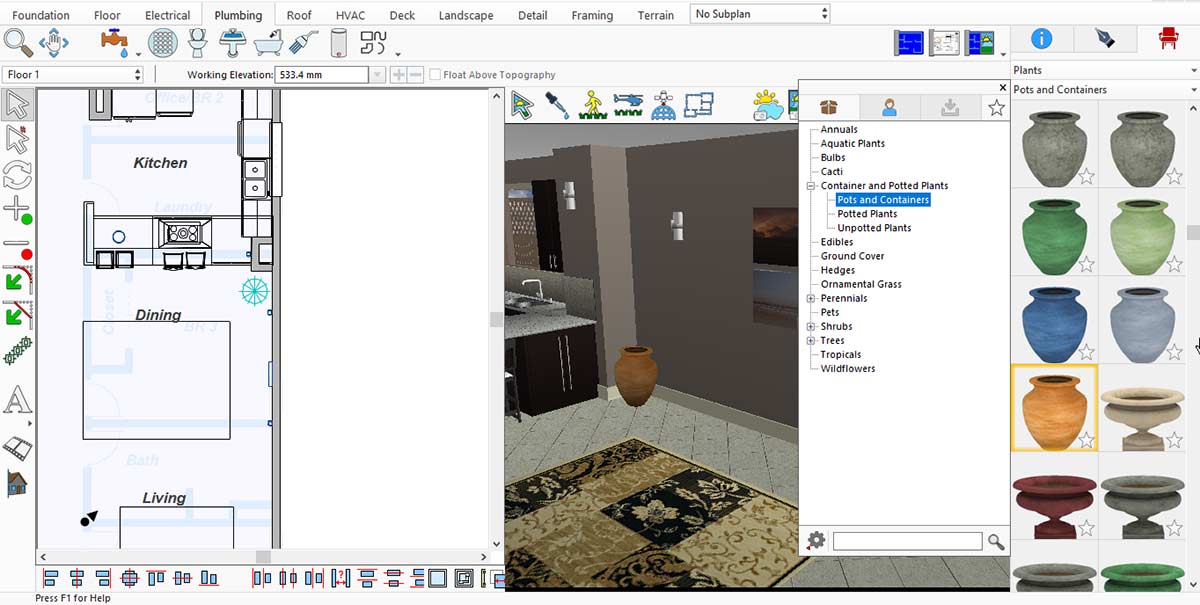
Pot and Container collection for the Kitchen
Now it’s time to add flowers to the pot. To do this, go to Plants > Display Stock Library Items > Annuals.
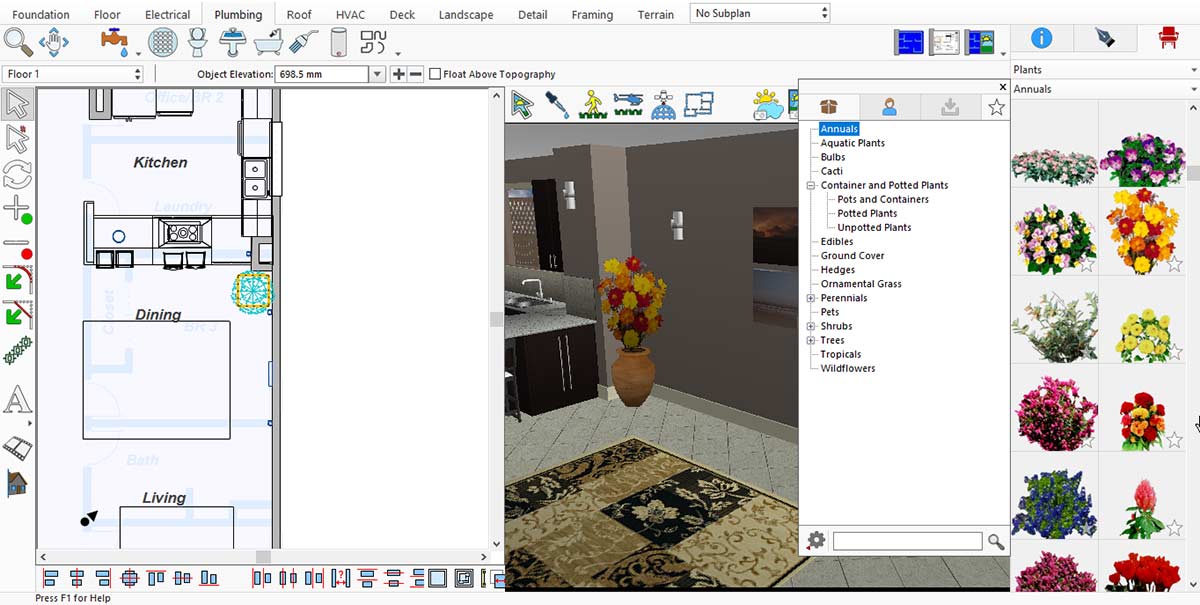
Pot Flower collection for the Kitchen
After placing all the equipment in the kitchen, you need to render it to see the final results.
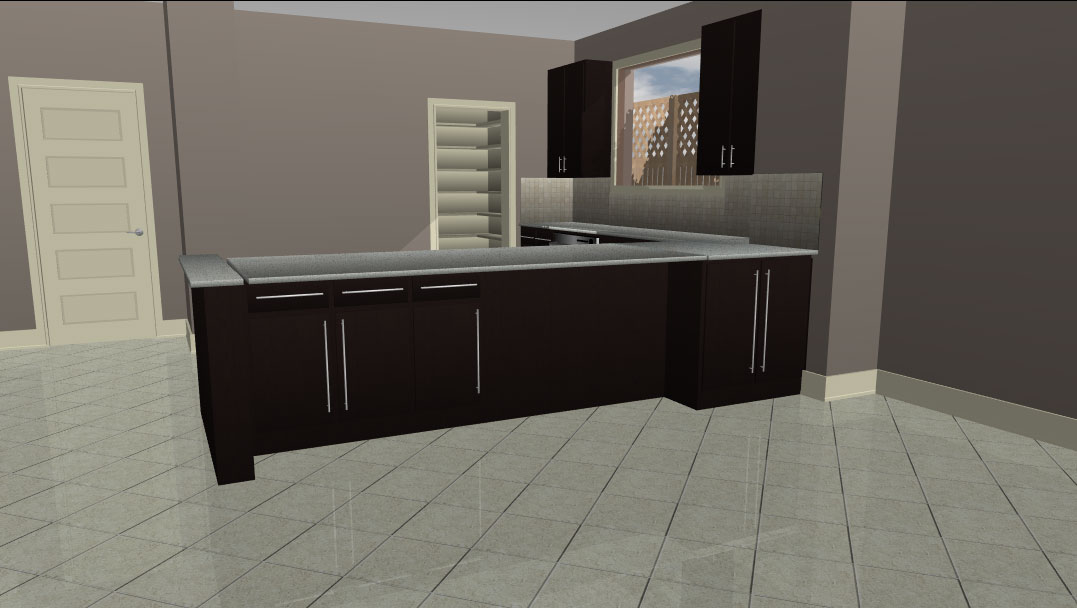
Before adding equipment, the look of the Kitchen
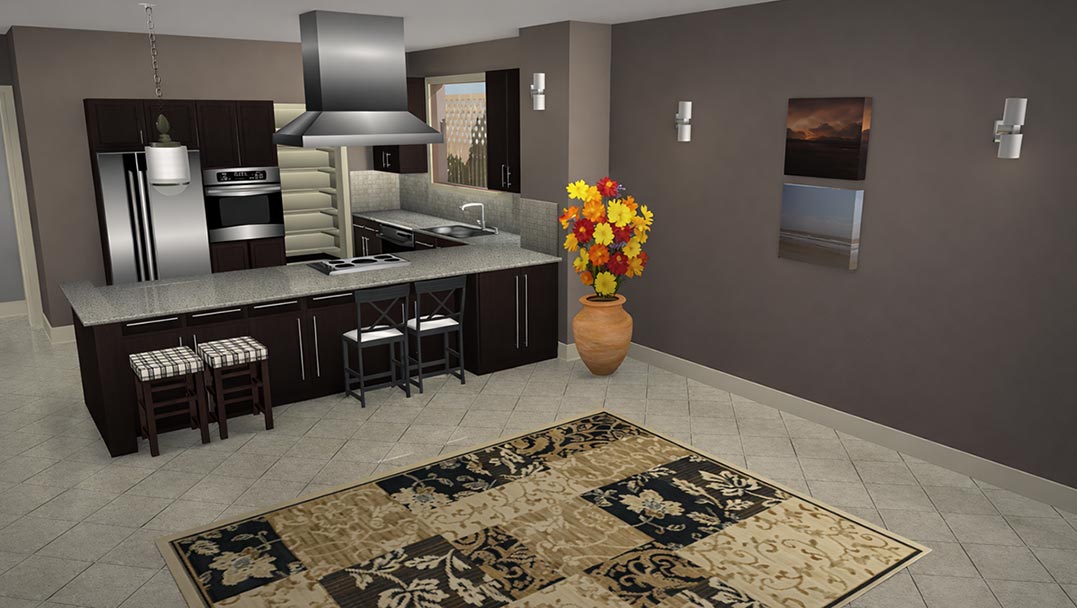
After adding equipment, the look of the Kitchen
Designing a kitchen using the right tools and essential elements makes the entire process creative, flexible, and enjoyable. From selecting cabinets, countertops, appliances, doors, and windows to adding lighting, backsplashes, and smart storage solutions, each detail plays an important role in creating a functional and attractive kitchen. The use of default and downloaded libraries offers a wide range of design options, making it easy to customize the space to suit personal preferences. The final rendered view clearly demonstrates how thoughtful choices and proper placement can transform a kitchen into a well-organized, stylish, and welcoming space.
Now it’s your turn: to redesign your kitchen and enjoy the results every day.