


.jpg)
TurboCAD Copilot Professional Triennial Term License (3 Years)

Product Info
TurboCAD® Copilot Professional is the AI-powered design partner that transforms the way you work. Fully integrated with both TurboCAD® for Windows and TurboCAD® for Mac, it accelerates workflows, improves navigation, and provides insightful analysis to support your creative vision. Equipped with Talk to Your CAD Data, General AI Access, and Text to Image, TurboCAD® Copilot Professional enables users to interact naturally with CAD data, access intelligent assistance, and generate visuals with precision. Designed to handle multilingual requests, it guides users through TurboCAD®, delivers key insights on files, and informs design trends and principles. Whether you need Instant Answers, Data Insights, or AI Expertise, Copilot ensures you stay focused on designing while leveraging AI to unlock new possibilities. With Visual Content Generation, it introduces photorealistic textures and environments into your projects, bringing presentations to the next level.
Note: Be sure to check the Product Line Comparisons for TurboCAD® Windows or TurboCAD® Mac to verify which of these features are supported by your TurboCAD® variant.
 Talk to your CAD Data
General AI access
Text to Image
Instant Answers
Data Insight
AI Expertise
Handles multilingual requests
Instant Answers
 Image Gallery
 Testimonials
 User Forums
 Download TurboCAD® Copilot FAQ
Key Features
Talk to your CAD Data
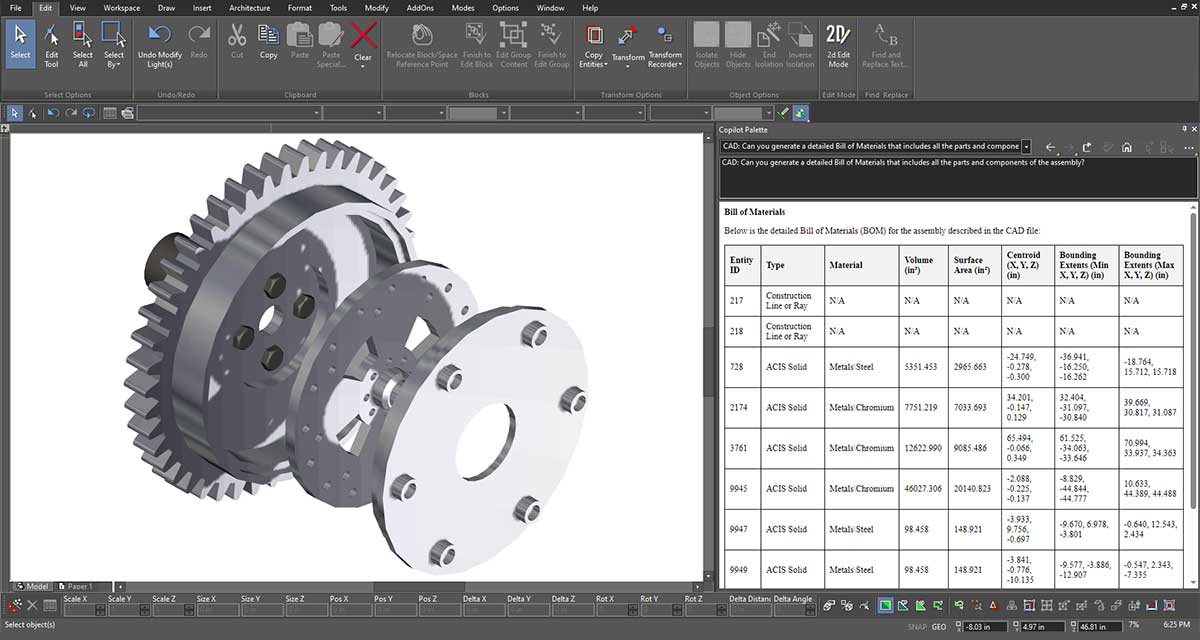
Interact with CAD data using natural language. Ask questions or give commands, and the AI interprets and acts on them. For example, ask, “Why can’t I blend my selected part with a 0.6 inch blend?” and get an answer. This simplifies working with complex CAD models, making data more accessible without intricate commands.
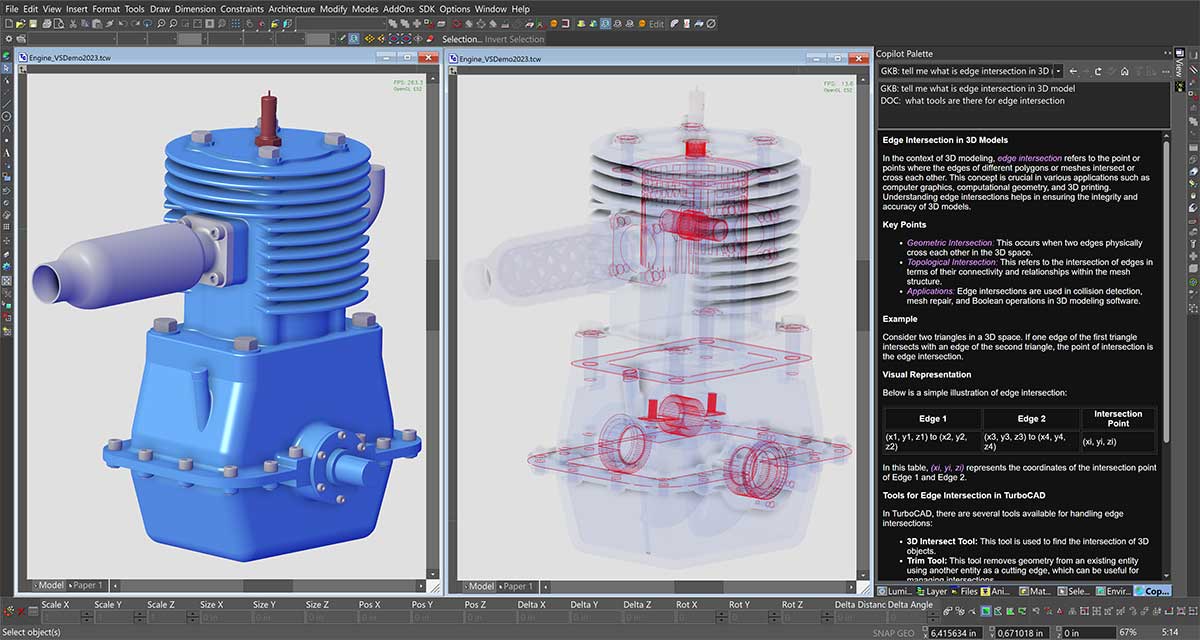
General AI access
Leverage AI to access and present information, insights, and assistance across various topics within the CAD environment. Instantly tap into a vast repository of information and expertise directly within TurboCAD®. This feature addresses diverse topics and tasks, making it a versatile resource for design queries, technical support, and more.
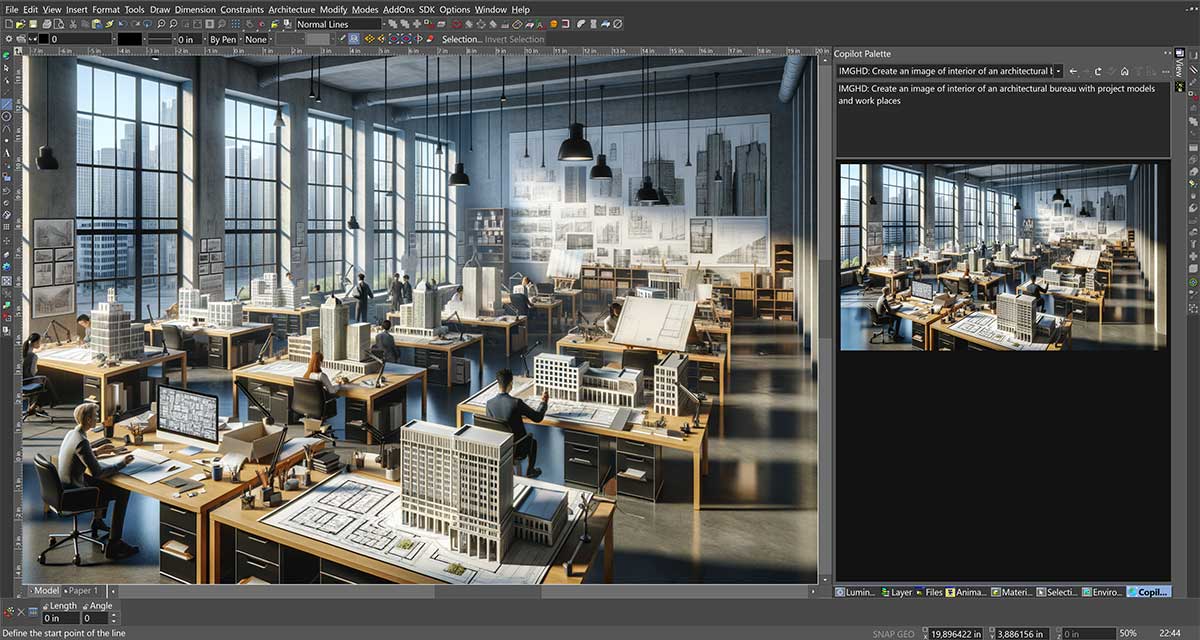
Text to Image
Create visual content from text descriptions. For example, describe “a sleek electric car with solar panels”, and it generates an image. This feature integrates AI-driven creativity into the CAD workflow, making it more dynamic and responsive.
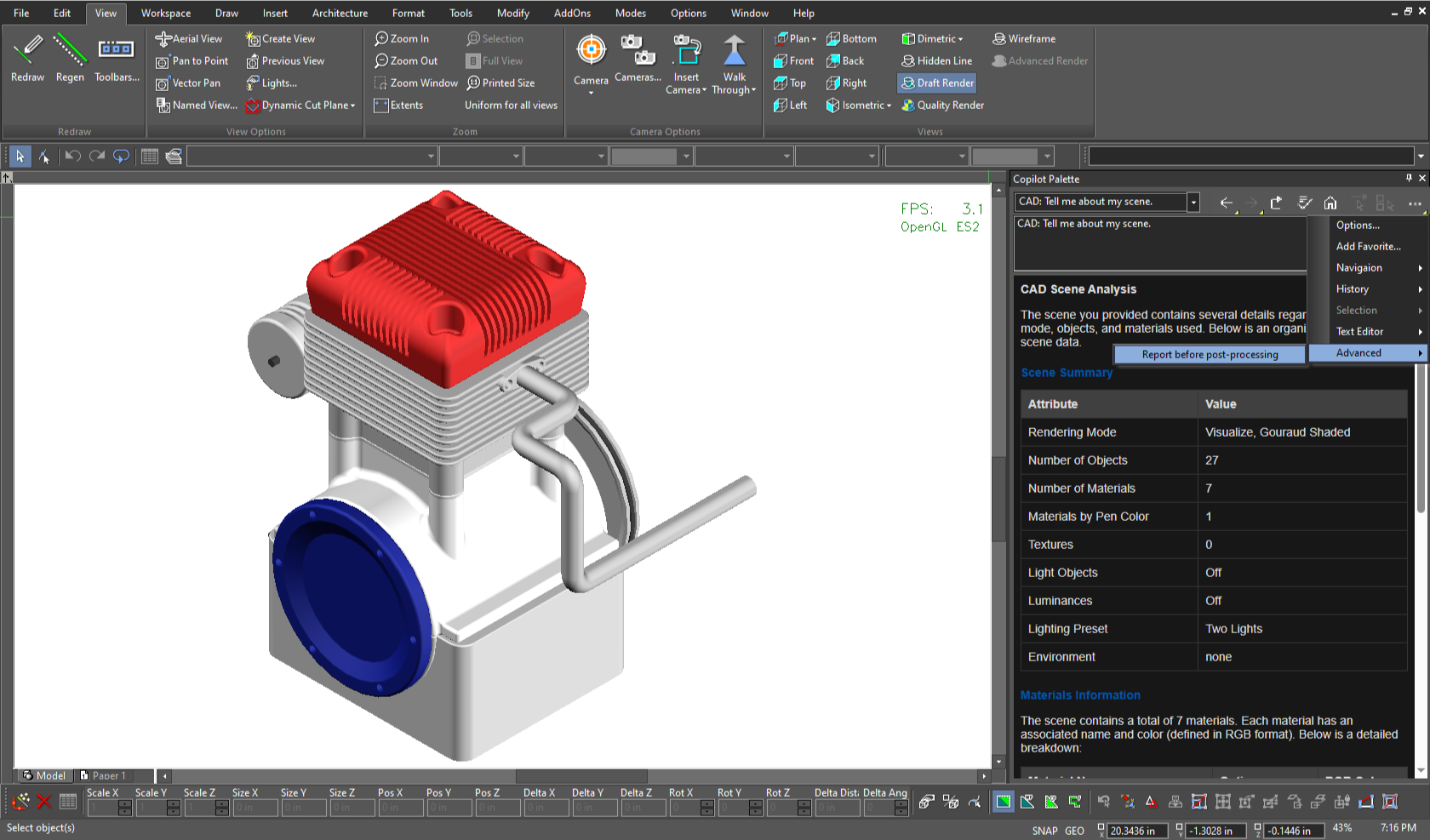
Rendering Scene Analysis
Rendering Scene Analysis in TurboCAD® Copilot Professional offers a detailed breakdown of every element within your rendering scenes, ensuring precision and clarity in visual output. By providing insights into object inventories, material properties, lighting specifications, and renderer-specific data, this tool helps designers refine their setups for optimal photorealistic results. Whether fine-tuning textures, adjusting transparency, or analyzing lighting conditions, Rendering Scene Analysis delivers the critical information needed to achieve the highest-quality visuals.
Visual Features in Copilot
Copilot gives reports a clearer, more comfortable workspace. Colors are easy to spot through swatches, texture files open with a single click, and a dark theme keeps long sessions gentle on the eyes. You can even view the raw HTML before post‑processing, so every detail is exactly where you want it.
Part Creation & Editing
Part Creation & Editing in TurboCAD® Copilot Professional simplifies the process of generating and modifying mechanical components, allowing users to create precise 3D models with ease. The Part Creator offers a library of standard components with parametric customization, while the Part Editor enables non-destructive modifications and real-time previews. Whether designing complex gears, structural beams, or custom fasteners, this functionality eliminates manual calculations and adapts to project specifications, ensuring accuracy and efficiency.
New Features
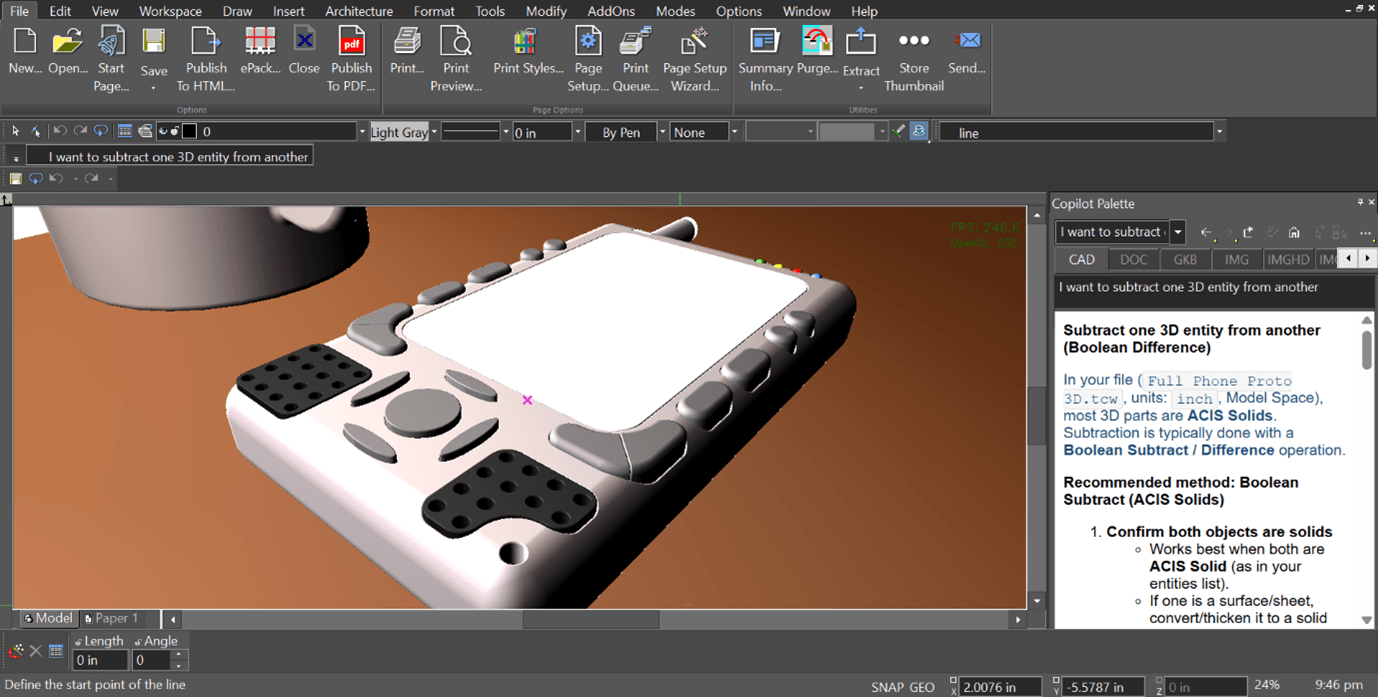
Copilot Command Assistant
The Command Assistant interprets natural‑language requests and turns them into immediate, context‑aware guidance inside the Copilot Palette. As designers describe what they want to do, it identifies the intent and provides the right help without breaking the modeling flow—making complex actions easier to understand and keeping focus on the work on screen
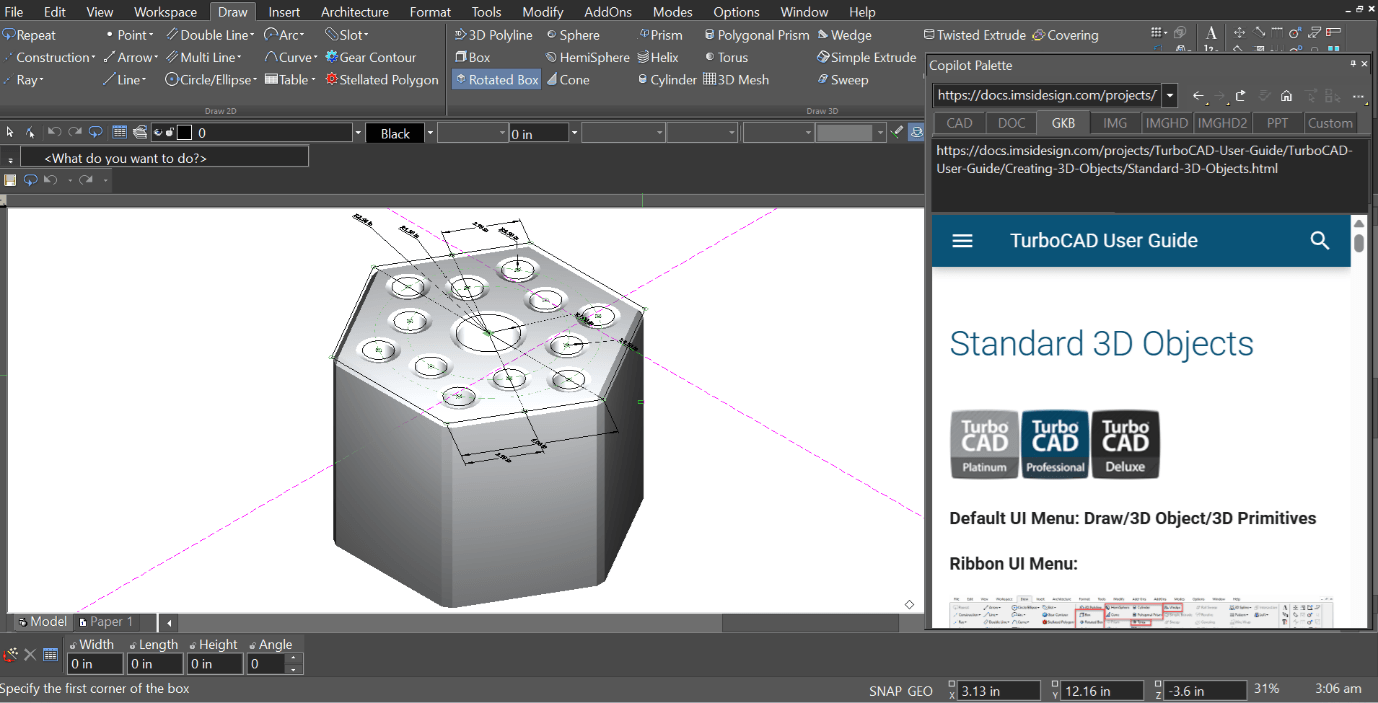
Copilot Smart Help Trigger
The Smart Help Trigger brings contextual guidance directly into the Copilot Palette, giving designers the right assistance without leaving the drawing environment. As tools are activated, relevant help appears automatically inside the palette—keeping the workflow uninterrupted and making it easier to explore features while staying focused on the design
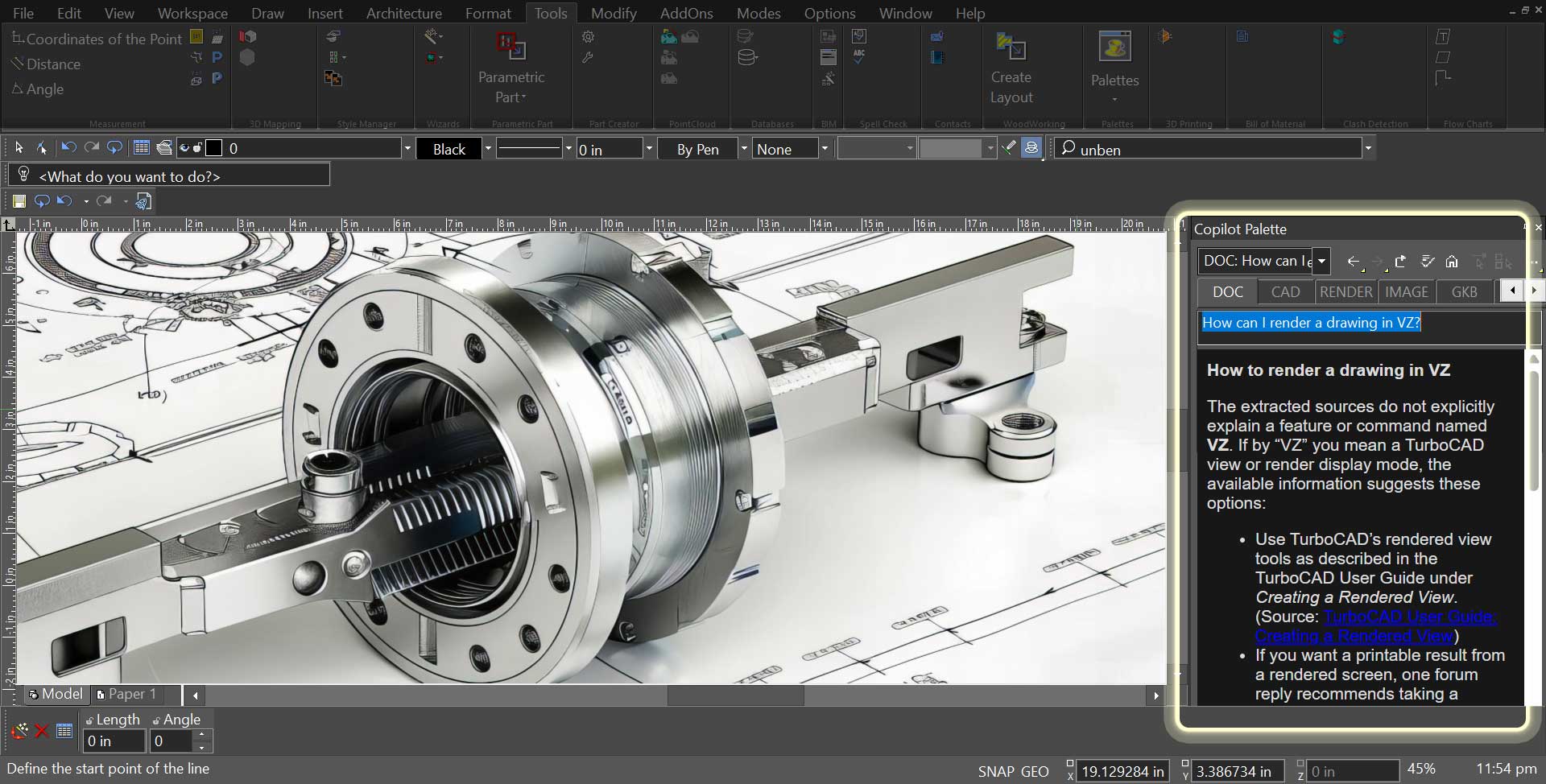
Copilot Toggle Tabs
Copilot requests are organized into simple toggle tabs, making it easy to choose the type of assistance before entering a prompt. Instead of typing prefixes, users select categories like DOC, CAD, RENDER, IMAGE, GKB, PART, or PPT. This visual approach makes the workflow clearer and helps Copilot deliver more relevant responses.
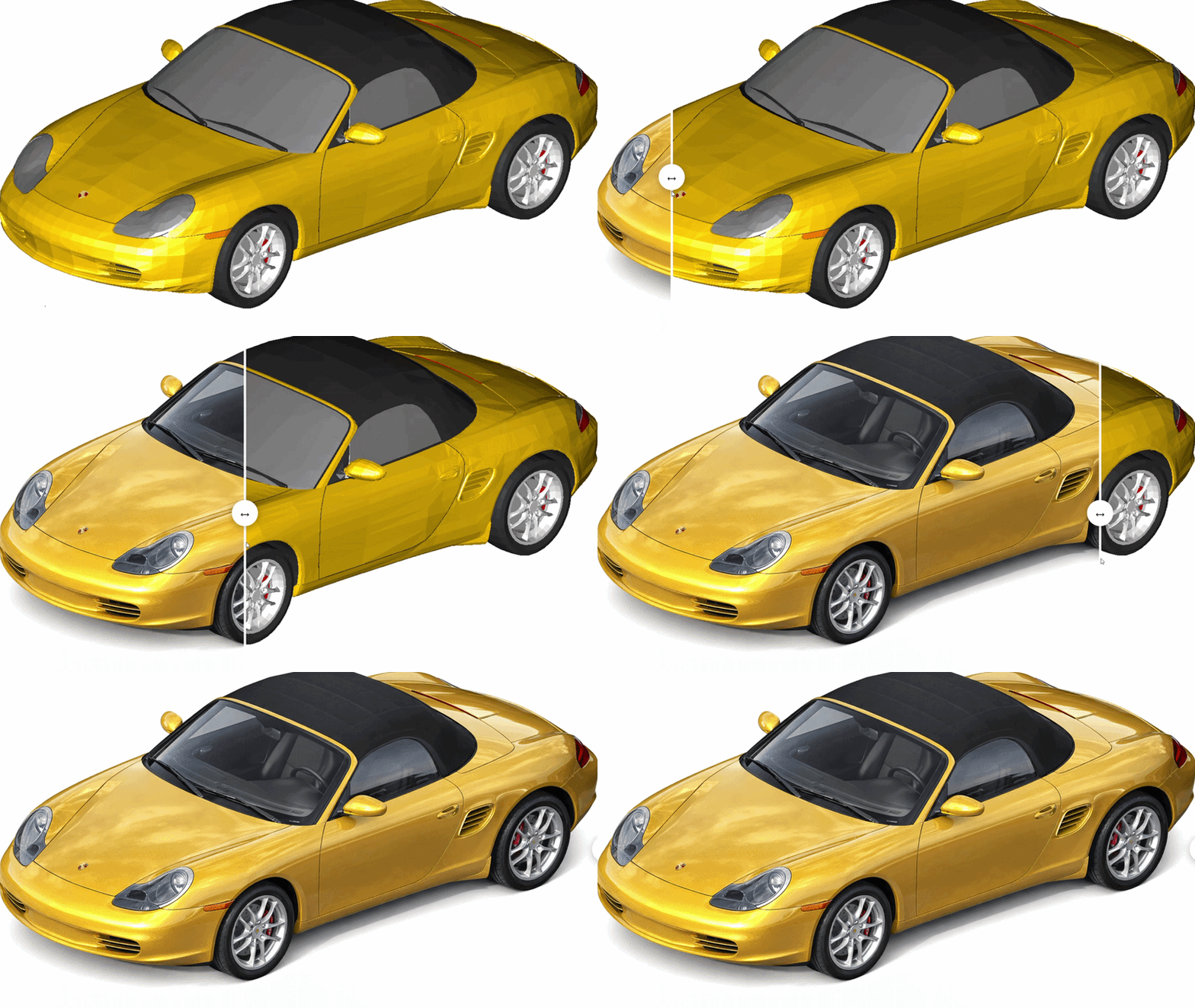
Copilot Render
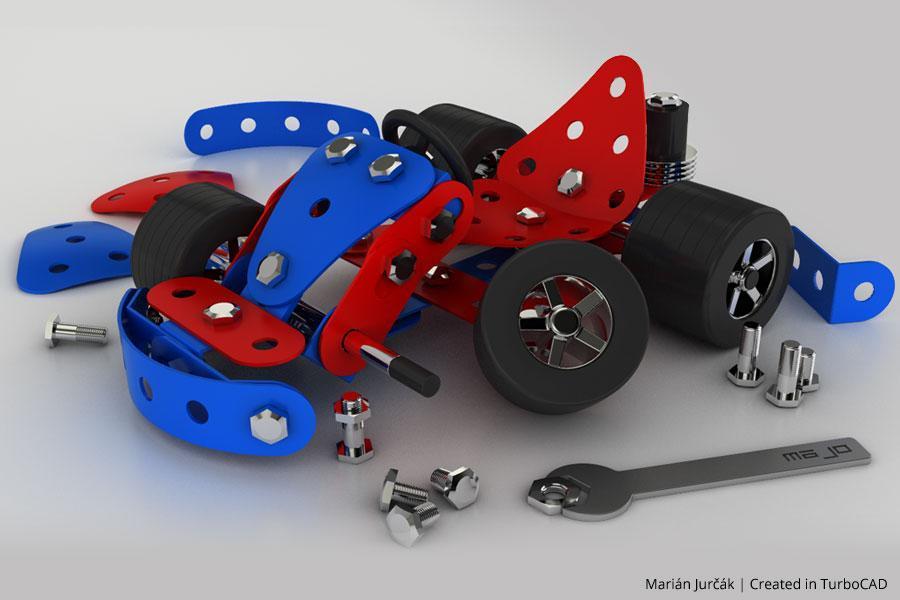
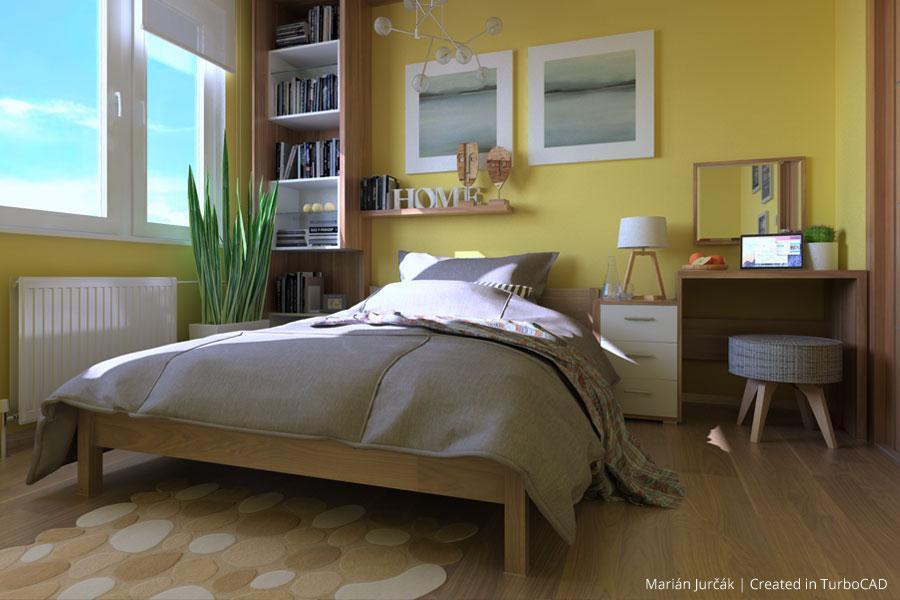
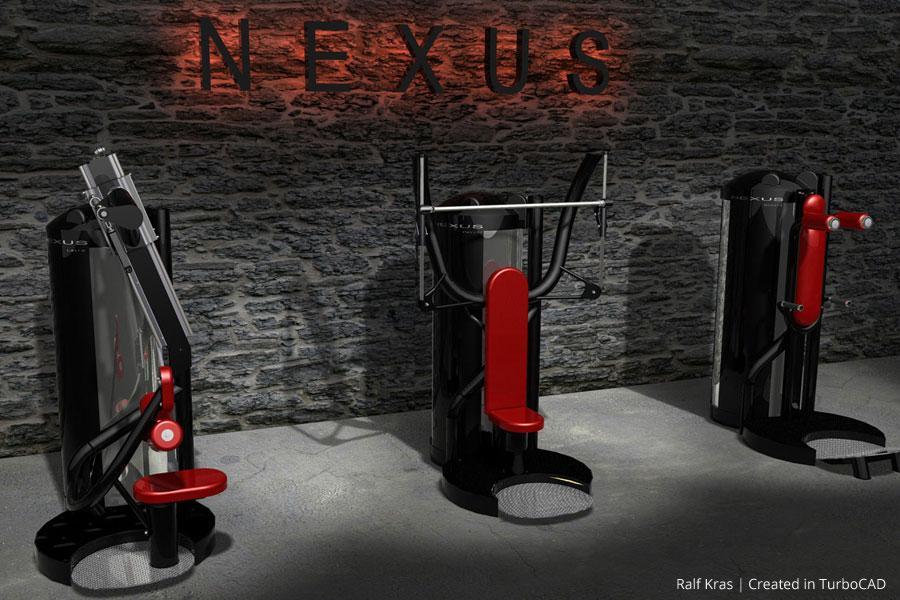
Copilot Render transforms CAD drawings into expressive visual concepts using simple natural‑language prompts. Describe a style, a lighting mood, or an environment, and the rendering appears directly on top of your geometry, keeping every idea connected to the design. You can explore variations, compare directions, and experiment freely with materials and atmospheres — all without leaving the TurboCAD workspace.
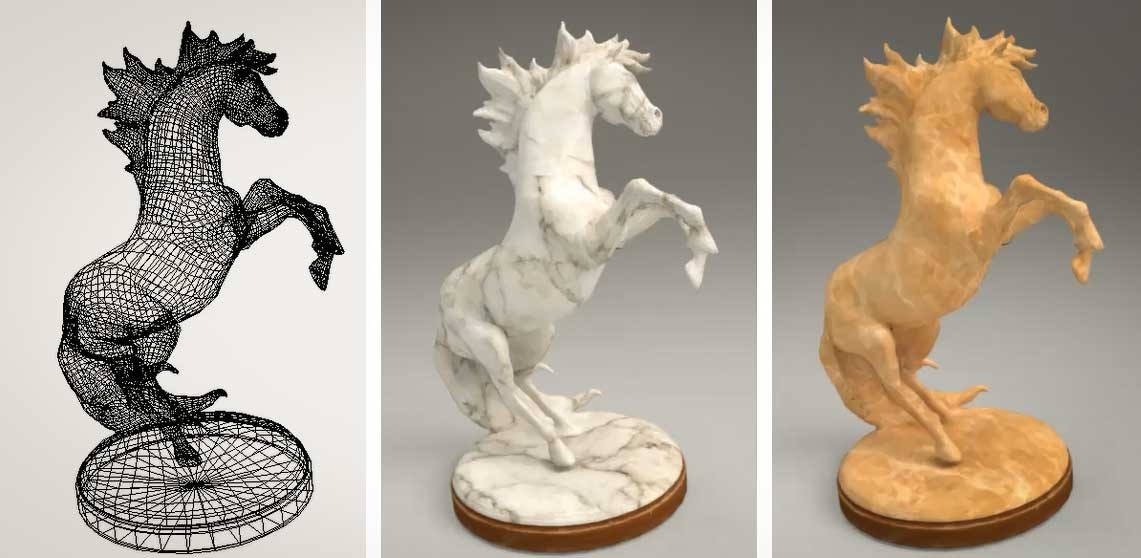
Copilot Images as Material Textures
Copilot lets you use generated images as material textures with a simple, direct workflow. You can drop an image into the Apply Texture panel or point to a file path, and TurboCAD handles the format conversion automatically. Once applied, every scene using that material updates at once, making it easy to review changes, explore options, and keep the design process moving smoothly.
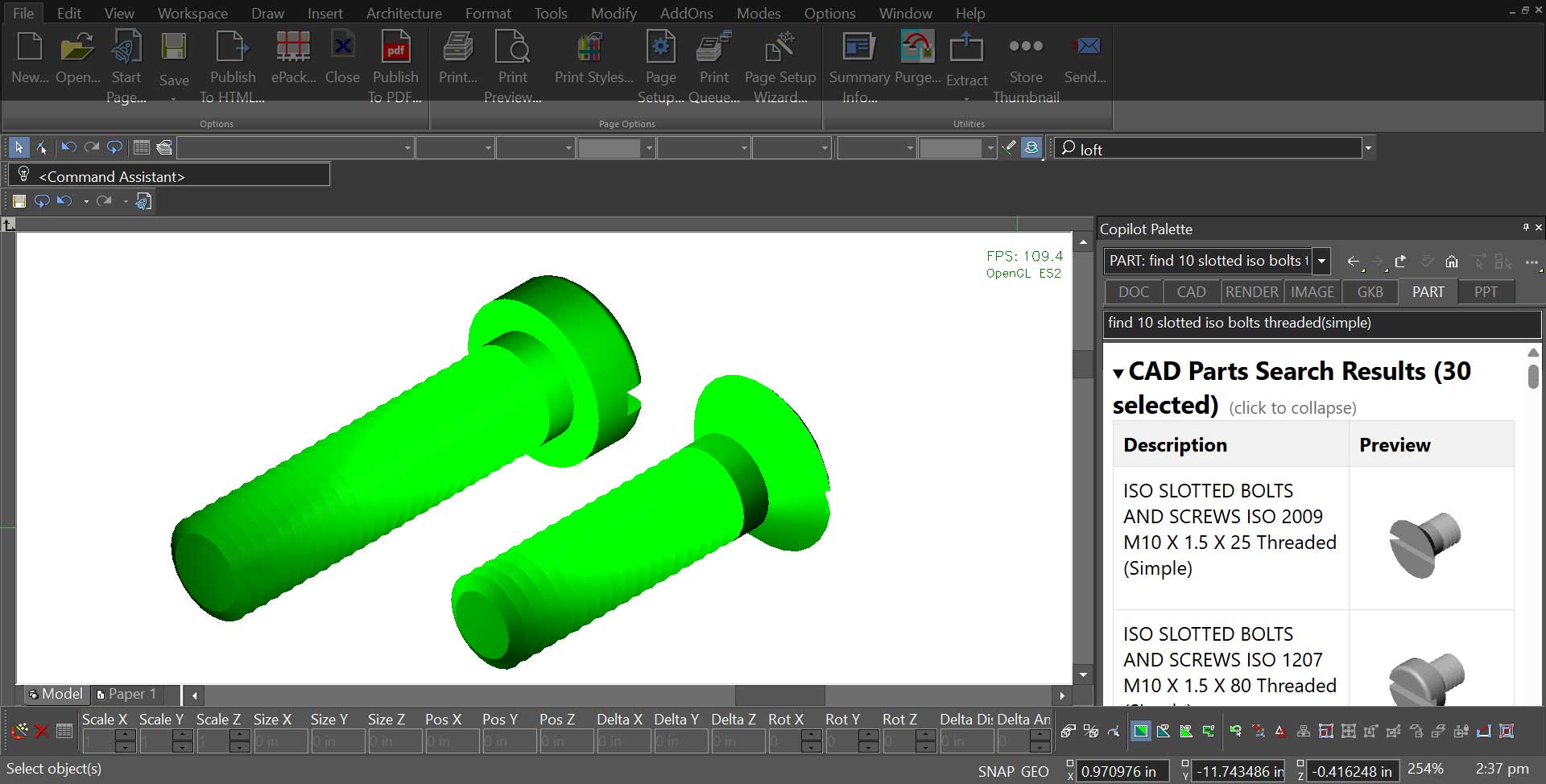
Copilot-Powered Part Finder
Copilot Part Finder lets you bring mechanical components into your design with a simple description. Matching parts appear with clear previews and key details, making the right choice easy to spot. A single click or drag places the part directly into the drawing, keeping assembly work quick and letting you stay focused on the design itself.
TurboCAD User Reviews
"TurboCAD performs flawlessly for our needs. It is an indispensable tool for our company."
Al D.
"I have used TurboCAD for quite a few years and it has served me well. New and improved features have kept it up to date while methods of use have remained consistent making an upgrade easy to adjust to."
David M.
"TurboCAD is excellent and affordable. I first used it 20 years ago, and even that version did all I needed."
Kurt Z.
"I have 34 years of CAD experience using the more expensive CAD programs and I use TurboCAD for my business. TurboCAD offers 'new thinking' in CAD, which delivers a productive CAD platform at a reasonable price."
Paul S.
"I've used TurboCAD for countless projects over the years. Some for profit, some not for profit and some for fun. Whether the need has been construction drawings, marketing materials, design work or just creative outlet, TurboCAD has always come through for me."
Brad E.
"I rely on TurboCAD for all my company's drawings; as a result my own productivity is greater than the entire drafting department of my last company."
Roland A.







System Requirements
Windows
Minimum System Requirements
- Software Compatibility: TurboCAD® Windows 2026 Platinum, Professional, Deluxe, or Designer
- Operating System: Windows® 7, 8, 10, or 11 (64-bit) ¹
- Processor: 1 Gigahertz (GHz) or faster 64-bit (x64) Intel® processor*
- RAM: 8 GB or greater
- Hard Disk Space: 1 GB of free hard disk space
- Pointing Device: Mouse with wheel button (recommended)
- Graphics: OpenGL/DirectX9-compliant video card with 256MB of dedicated RAM
- Internet Connection: Required for activation, updates, online features, and subscription-based features (if applicable) ²
Additional Notes
- Operating System: ¹ Program compatibility is not guaranteed for earlier operating systems (pre-Windows 7) or future unreleased Windows versions.
- Optimal Performance: 16 GB RAM and SSD disk for improved handling of large files.
- Internet: ² User responsible for all associated ISP fees and charges.
*TurboCAD® is designed for desktop PCs or laptops that meet the specified system requirements. Windows RT technology for use on tablets is not supported. Your experience with TurboCAD will be greatly enhanced with a newer generation, higher speed CPU. ARM processors are not supported.
The TurboLux™ Rendering engine is included in TurboCAD Platinum, Professional, and Deluxe. When running TurboCAD® with TurboLux™ rendering, the OpenCL (GPU-based) modes require a NVIDIA graphics card or GPU that supports either OpenCL 1.2 or later, or NVIDIA's CUDA version 10.0 or later. It is recommended that you install the latest driver updates before using TurboLux™.
Mac
- Software Compatibility: TurboCAD® Mac 16 Platinum, Pro, Deluxe, or Designer
- Operating System: macOS 11.0 (Big Sur) through macOS 26.0 (Tahoe) ¹
- Processor: Apple Mac with Intel® (x64 architecture) or Apple Silicon (ARM-based M1, M2, M3, or newer)
- RAM: 8 GB or greater
- Hard Disk Space: 4 GB of free disk space for installation
- Pointing Device: Mouse with wheel button (recommended) or 3Dconnexion SpaceMouse
- Internet Connection: Required for activation, updates, online features, and subscription-based features (if applicable) ²
Additional Notes
- Operating System: ¹ Program compatibility is not guaranteed for earlier operating systems (pre-macOS 11.0) or future unreleased macOS versions. Requires a machine with an operating system using x64 (64-bit) architecture.
- Optimal Performance: 16 GB RAM and SSD disk for improved handling of large files.
- Internet: ² User responsible for all associated ISP fees and charges.
Buy Your TurboCAD Product Now
Find the TurboCAD version that best fits your needs
TurboCAD Platinum
$1,49999
- 2D Drawing, Editing & Modifying
- AutoCAD® File Compatibility
- 3D Modeling & Editing
- Photorealistic Rendering
- 3D Printing Support
- Architectural Tools
- Simple BIM via IFC Support
- 2D Drafting Interface Options
- Internal & External Database Connectivity
- Point Cloud & Terrain Data Support
- ACIS® Solid Modeling
- 2D Geo-Dimensional Constraints
- Part Tree/History Tree
TurboCAD Professional
$99999
- 2D Drawing, Editing & Modifying
- AutoCAD® File Compatibility
- 3D Modeling & Editing
- Photorealistic Rendering
- 3D Printing Support
- Architectural Tools
- Simple BIM via IFC Support
- 2D Drafting Interface Options
- Internal & External Database Connectivity
- Point Cloud & Terrain Data Support
- -
- 2D Geo-Dimensional Constraints
- -
TurboCAD Deluxe
$39999
- 2D Drawing, Editing & Modifying
- AutoCAD® File Compatibility
- 3D Modeling & Editing
- Photorealistic Rendering
- 3D Printing Support
- Architectural Tools
- Simple BIM (Limited)
- -
- -
- -
- -
- -
- -
TurboCAD Designer
$14999
- 2D Drawing, Editing & Modifying
- AutoCAD® File Compatibility
- -
- -
- -
- Architectural Tools (Very Limited)
- -
- -
- -
- -
- -
- -
- -