


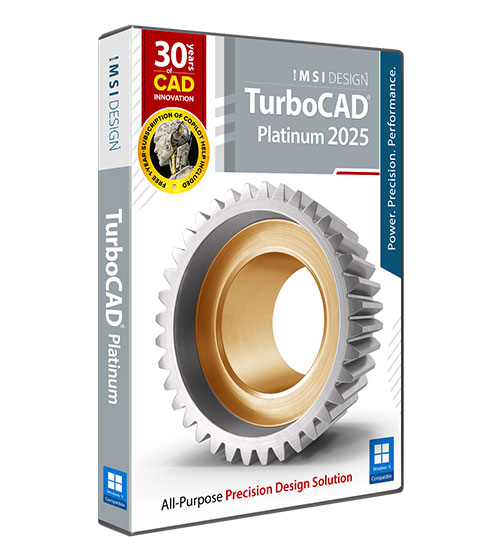
TurboCAD 2025 Platinum Upgrade from 2025 Professional

Product Info
TurboCAD® Platinum is a professional CAD solution for 2D drafting and 3D solid modeling, designed for engineers, architects, manufacturers, and design professionals. It features a powerful drafting palette, ACIS® solid modeling, premium photorealistic rendering, advanced architectural and mechanical tool sets, an AutoCAD®-like drafting interface, and extensive file support.
 Intuitive UI & Superior Performance
Advanced 3D Surface and Solid Modeling
Sophisticated Part Tree Management
Broad Interoperability & File Support
Integrated Architectural & GIS Tools
Precise 2D Geometric and Dimensional Constraints
Dynamic Drafting Palette
 Brand Comparison
 Free Trial
 Image Gallery
 Testimonials
 User Forums
Key Features
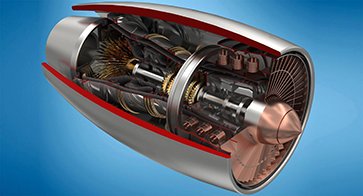
ACIS®-Based Solid Modeling
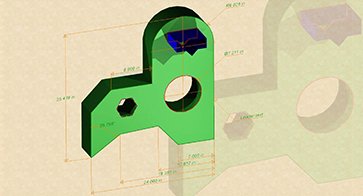
Geo & Dimensional Constraints
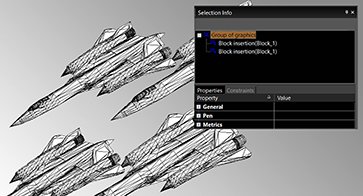
Part Tree/History Tree
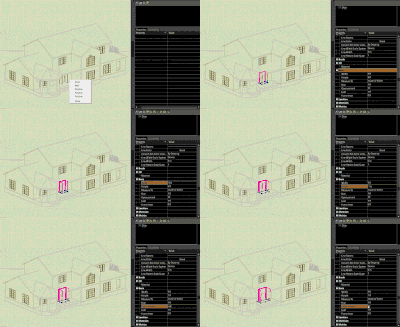
Intelligent (Parametric) Architectural Objects
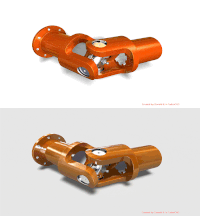
Advanced Mechanical Design Tools
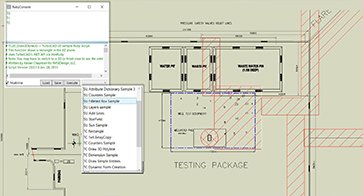
Programmable SDK & Ruby Scripting
TurboCAD Pro Platinum Reviews
"I have used a number of other CAD programs and I believe TurboCAD's dwg translation is much better than average. I have even seen situations where TurboCAD salvaged drawings unopenable in AutoCAD (that were not created in TurboCAD."
Joseph M.
"Price-wise, TurboCAD is much more attractive than other engineering 3D software. It can do all the things that AutoCAD and Solidworks could do, but at a far more friendly price."
Ralf K.
"This is more than a program, it is a powerful tool. Very simple, clean interface, with all the tools and capabilities you could want. As a woodworker, the cut-lists can come in very handy on pieces requiring a large number of parts of various sizes."
James R.
"I have found the tools in TurboCAD to be adaptable to a broad range of tasks. I have done everything from machine parts to earth retaining structures with it. The interface has a much easier learning curve than other products. The input output features makes sharing drawings very easy."
Neil H.
"I have 34 years of CAD experience using the more expensive CAD programs and I use TurboCAD for my business. TurboCAD offers "new thinking" in CAD, which delivers a productive CAD platform at a reasonable price."
Paul S.
"I just love how TurboCAD is an all-purpose CAD application. That means that I can meet the needs of most of my clients using this single product. This includes mechanical designs for manufacture, furniture design and assembly instructions and even retail outlet store renders (interior and exterior)."
Don C.
"Many CAD programs are much too expensive or require a subscription, and prices tend to go way up to get a version that you can actually use for designing homes. For once, I feel like I made the right decision the first time"
Kevin M.
"I've been an AutoCAD user for 30 years. I recently switched to TurboCAD Pro Platinum 2017 and I found it very easy to transition. It has all the power of AutoCAD and does everything I need to do in my work as a designer. Thanks to IMSI for making available an affordable and productive tool for engineers, architects and CAD operators. This software is nothing less than fabulous at a price most can afford."
Bernd V.
"TurboCAD’s functionality is comparable to CAD software selling – or renting – for much more money. It provides all the features I need, and then some."
Jeff L.




System Requirements
TurboCAD Platinum is delivered in a 64-bit version to take full advantage of your hardware’s available computer memory to load, process, and render CAD files.
64-Bit
Operating System: Microsoft Windows 10, Windows 8* 64-bit, Windows 7 (64-bit), Vista (64-bit) - 8 GB RAM.
CPU Type 1 gigahertz (GHz) or faster 64-bit (x64) processor
Recommendation
Your experience with TurboCAD Platinum will be greatly enhanced with a newer generation, higher speed CPU, and 8+ GB RAM
Important Notice to Subscription Customers: Subscriptions require an active Internet connection in order to maintain the subscription license.
The TurboLux™ Rendering engine is now included in all 2D/3D versions of TurboCAD 2023. When running TurboLux, the OpenCL (GPU-based) modes require an NVIDIA graphics card or GPU that supports either OpenCL 1.2 or later, or NVIDIA’s CUDA version 10.0 or later. It is recommended that you install the latest driver updates before using TurboLux rendering.
Buy Your TurboCAD Product Now
Find the TurboCAD version that best fits your needs
TurboCAD Platinum
$1,49999
- 2D Drawing, Editing & Modifying
- AutoCAD® File Compatibility
- 3D Modeling & Editing
- Photorealistic Rendering
- 3D Printing Support
- Architectural Tools
- Simple BIM via IFC Support
- 2D Drafting Interface Options
- Internal & External Database Connectivity
- Point Cloud & Terrain Data Support
- ACIS® Solid Modeling
- 2D Geometric & Dimensional Constraints
- Part Tree/History Tree
TurboCAD Professional
$99999
- 2D Drawing, Editing & Modifying
- AutoCAD® File Compatibility
- 3D Modeling & Editing
- Photorealistic Rendering
- 3D Printing Support
- Architectural Tools
- Simple BIM via IFC Support
- 2D Drafting Interface Options
- Internal & External Database Connectivity
- Point Cloud & Terrain Data Support
- -
- -
- -
TurboCAD Deluxe
$34999
- 2D Drawing, Editing & Modifying
- AutoCAD® File Compatibility
- 3D Modeling & Editing
- Photorealistic Rendering
- 3D Printing Support
- Architectural Tools (Limited)
- Simple BIM (Limited)
- -
- -
- -
- -
- -
- -
TurboCAD Designer
$9999
- 2D Drawing, Editing & Modifying
- AutoCAD® File Compatibility
- -
- -
- -
- Architectural Tools (Very Limited)
- -
- -
- -
- -
- -
- -
- -